Data Masking in Agent Desktop
The system utilizes data masking techniques to hide sensitive customer data identified as personal identifiable information (PII) in the following scenarios:
-
From the agent's view in the Agent Desktop.
-
In every historical engagement transcript stored in the Portal.
Note: It is important to configure Data Masking separately for each project.
In the following example, a customer enters a string of nine digits, and the system identifies it as personal identifiable information (PII).
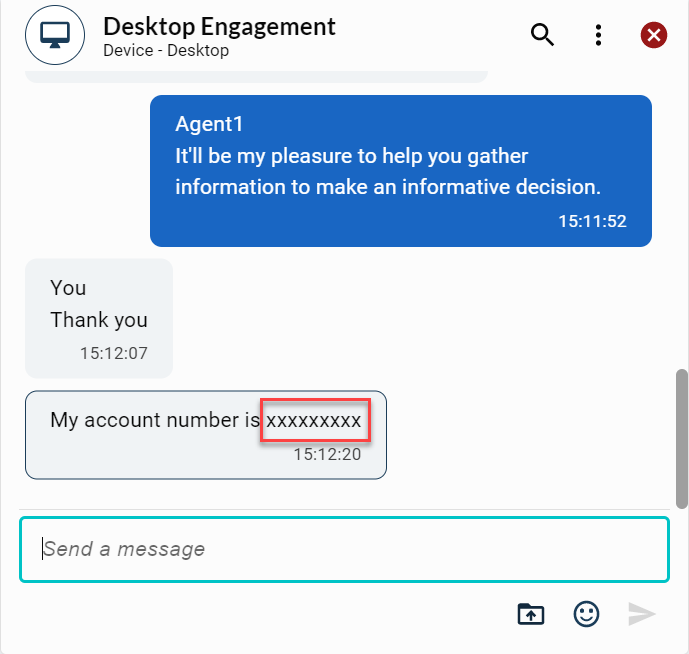
The system automatically masks the data, displaying (x)’s to the agent. Also, this data masking is displayed in the Engagement transcript.
Following are the PII elements:
-
Social Security Numbers
-
Credit Cards
-
Account Numbering
-
Date Patterns
Data masking variations
Here are the Data masking variations:
-
You have the option to mask sensitive data from the agent in the Agent Desktop and in the Engagement transcript within the Portal.
-
Also, you can choose to display sensitive data to the agent in the Agent Desktop and automatically mask it in the Engagement transcript.
Agents have the ability to manually mask any PII element that might have been missed by the system, serving as the last line of defense for data protection.
Note: You need to enable the data masking option in the Workforce Management system under Portal.
Data masking by the agent
The masked text is displayed with an outline, making the masked information in the transcript more apparent to theAgent Desktop user.
-
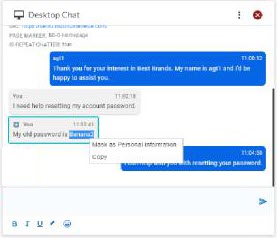
Highlight sensitive data.
-
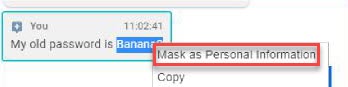
Right click the sensitive data and select Mark as Personal Information.
-
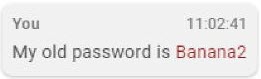
The data font changes color to indicate successful masking as PII. Also, this Data Masking is displayed in the Engagement transcript.