Search Dispositions
The search field in the Dispositions pane gives agents the ability to search through disposition categories efficiently. Dispositions and their categories are defined and set in Portal on the Administration > Data and Reporting > Agent Disposition page. Agents need the ability to select a particular disposition so they can quickly close their engagement.
Dispositions panes
Depending on the agent’s desktop configuration, the Dispositions panes can display on the Agent Desktop in the desktop modals or as a pop-up. The new “Search Dispositions” field displays at the top of the Dispositions pane.
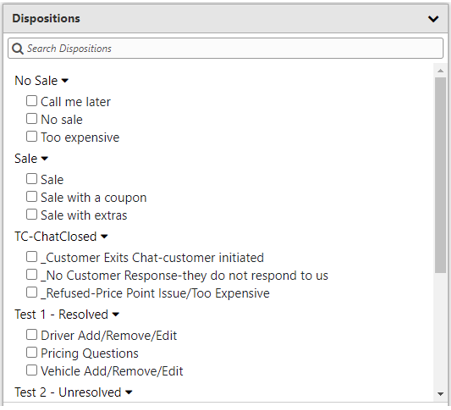
The search field runs a text filter on all of the disposition reasons and the disposition category names. If a disposition reason matches the search text, it will be shown in the filtered list under its corresponding disposition category even if the category itself does not match the search text.
Example
When an agent searches for the term “vehicle” all dispositions that contain “vehicle” display in the window.
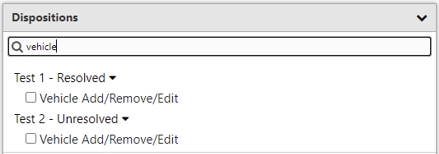
This allows agents to easily locate the disposition they are looking for so they can close their engagement quickly and record their dispositions efficiently.
