Force edit a script
Agents can quickly and efficiently customize script lines without having to type commonly used script phrases repeatedly. Script lines can be developed for a specific script that should not be edited, but still allow customization of the script phrase, or it may be developed as a “fill in the field”. Forced Edit Script is identified by the Blue font text:
-
INSERT SCRIPT
-
FEATURE
-
INSERT PHONE NUMBER
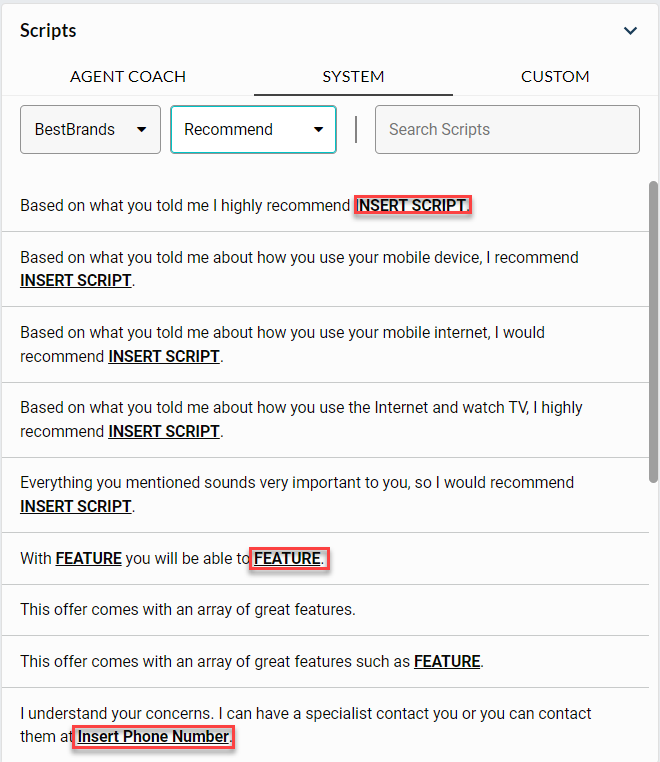
To force edit a script:
-
Select the Forced Edit Script line.

-
Forced Edit Script window displays, ready to input the customized content.
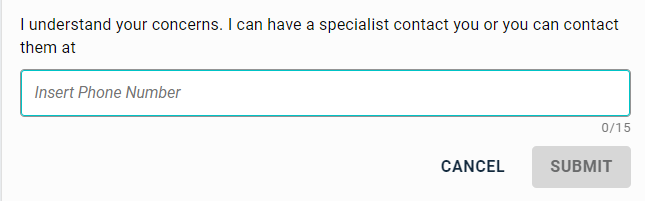
-
Once the content has been entered, the Submit button becomes ‘active’ and can be clicked to “send” the script line to the customer.
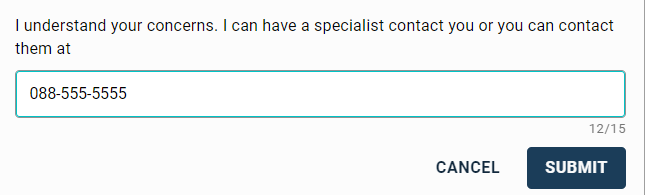
Character count should be kept in mind when adding customized content. Character count is displayed in the bottom-right corner of the field window. Character count for forced edit script is configurable in Portal.
Note: Using the forced edit script feature produces hundred percent compliance with script lines that are required or mandatory to be used in the project. Forced edit script, also reduces response times and assists with managing concurrent engagements.
