Agent Desktop notifications
Agent Desktop can display a visual notification on a user's screen to alert them of incoming chats in cases where Agent Desktop is out of focus. To enable this feature:
-
Administrator enables notifications in Portal
-
Agent allows notifications in their browser
-
Notifications display when Agent Desktop is out of focus
Enable notifications in Portal
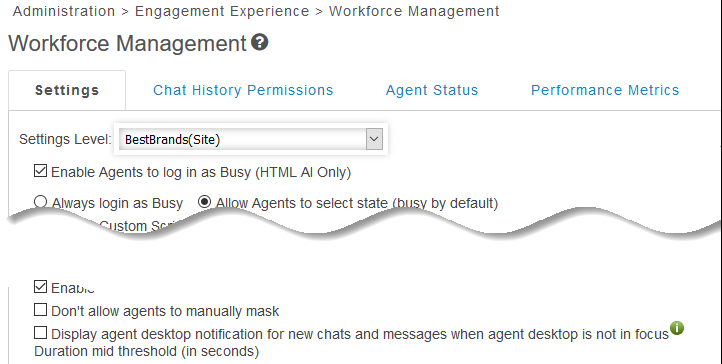
The notification feature must be enabled in Portal for the client site or Agent Group. This is done on the Administration > Engagement Experience > Workforce Management in Portal.
Allow notifications in the browser
The first time an agent logs into the Agent Desktop under an Agent Group enabled for notifications, they are prompted by their browser to allow notifications. The agent has a choice to allow notifications or block them. If the user blocks notifications, the agent will not receive them regardless of the setting in Portal.
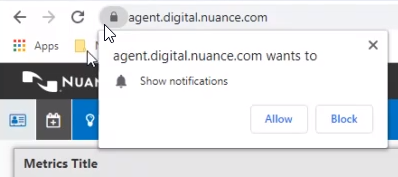
Note: Notification settings are handled by the browser. Settings may display a different appearance depending on the browser used.
