Agent Group Enablement
After configuring the Agent Coach instance and deploying a model trained in both Pre-Production and Production environments, you can enable the Agent Group for the specific site.
Enabling the Agent Group includes:
-
Agent Group settings
-
Agent Coach individual agent settings
Agent Group Enablement allows agents within the group to perform tasks, utilize features, or access resources based on predefined settings or configurations. By default, all agent groups inherit the Site-level setting for Agent Coach. If the Site level is enabled, all agent groups associated with the site are also enabled.
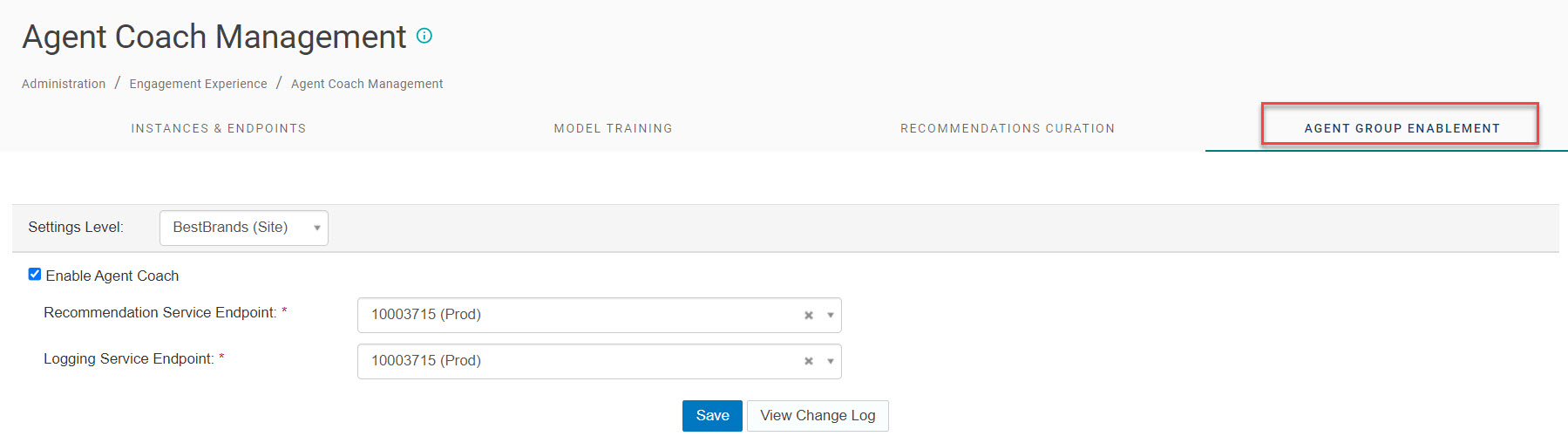
Agent Group settings
To set Agent Coach for an agent group, select the agent group from the Settings Level drop-down. This causes the site-level radio buttons to display on the Agent Coach Portal page.
By default, the Use site level settings control is enabled. When you configure the Agent Group to use site level settings, it inherits the checkbox and URL configuration for the site.
The Override site level settings control enables you to perform the following actions:
- Disable Agent Coach if it’s enabled for the site.
- Enable Agent Coach if it’s disabled for the site.
- Set a different endpoint if Agent Coach is enabled for the site.
Note: The Recommendation Service Endpoint field values are provided by the Nuance Dev Ops team and should not be changed by the client.
When changes are made to the Agent Coach page, Portal displays pop-ups that remind the user that disabling Agent Coach at the Agent Group level applies to all users within the agent group. Additionally, a message is displayed to remind the user that changing to Use site-level settings will remove all changes made at the Agent Group level.
Agent Coach individual agent settings
With all Portal settings, Agent Coach settings cascade down from the Site level to the Agent Group level. With Agent Coach, changes can be made at the individual agent level that override Agent Coach settings made at the Agent Group level. It is possible to opt out of Agent Coach at the individual agent level. This is configured on the Administration > Sites & Users > User Management page.
The control label shows the Agent Coach Opt-Out Status. If the user clicks in the field, a drop-down list displays all Agent Coach enabled agent groups for which the agent is a member. Use the list to select the agent groups that are disabled for Agent Coach. When you click the Save button, Agent Coach is now disabled for the individual agent for the selected agent groups.
If an agent is configured to opt-out of an Agent Coach enabled agent group using this page and the main Agent Coach configuration is later changed to disable Agent Coach for the entire agent group, this setting is automatically cleared here.
The Agent Group names remain in the Agent Coach Opt-Out Status field for the individual agent after the change is saved. To add Agent Coach functionality back to one of the agent groups for this agent, click the X next to the Agent Group name and click Save.
