Auto-Close Engagements
When enabled for the Agent Desktop, the Auto-Close Engagements functionality allows users to set up messaging and warnings. It enables you to automatically close an engagement of an idle customer after a specific time duration.
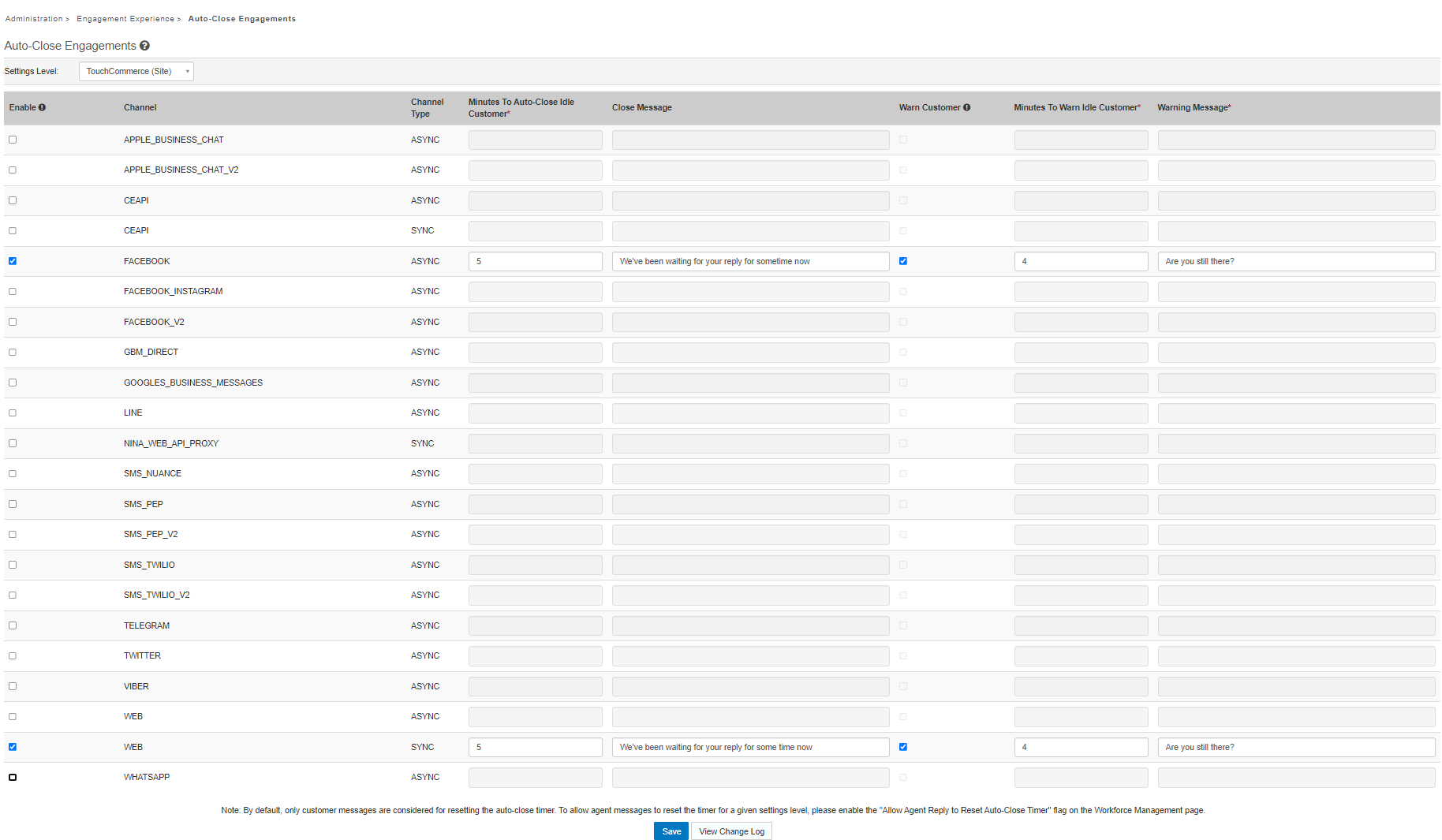
You can configure the settings based on the Channel in the Nuance Portal by navigating to the Administration > Engagement Experience > Auto-Close Engagements page.
| Field | Description |
|---|---|
|
Enable |
Select to enable auto-close for the select channel. |
| Channel | Select the channel for auto-close. Settings are made on a per-channel basis. |
| Channel Type | The channel type, asynchronous or synchronous. |
| Minutes to Auto-Close Idle Customer | The number of minutes a customer must be idle online before the system auto-closes the engagement. |
|
Close Message |
Add a message that will display to the customer when their engagement is auto-closed. |
|
Warn Customer |
Select to send the customer a warning before their engagement is auto-closed. |
| Minutes to Warn Idle Customer | The number of minutes a customer must be idle online before the system sends an auto-close warning. |
| Warning Message | Add a message that will display to the customer when their engagement is about to be auto-closed. |
Set Auto-Close
To set up the Auto-Close functionality:
-
Select the Enable option next to the Channel to activate Auto-Close for the Channel.
-
Enter the number of minutes before the timer automatically closes the engagement.
Note: You can set the Close Message that displays to the customer when the engagement is closed. The close message is optional.
Set Warn Customer
The Auto-Close functionality enables users to configure the system to send a warning message to an idle customer before the engagement is automatically closed.
To set up customer warnings:
-
Select Warn Customer.
-
Enter the number of minutes the timer needs to wait before the warning message is sent.
Note: The Minutes to Warn Idle Customer value must be less than the Minutes to Auto-Close Idle Customer value.
Set Reset Auto-Close Timer
By default, when users enable Auto-Close, the system ties the timer to customer messages.
For example, if the Minutes to Auto-Close Idle Customer value is set to five minutes, and the agent takes four minutes to respond, the customer would have only one minute to respond before the system initiates Auto-Close.
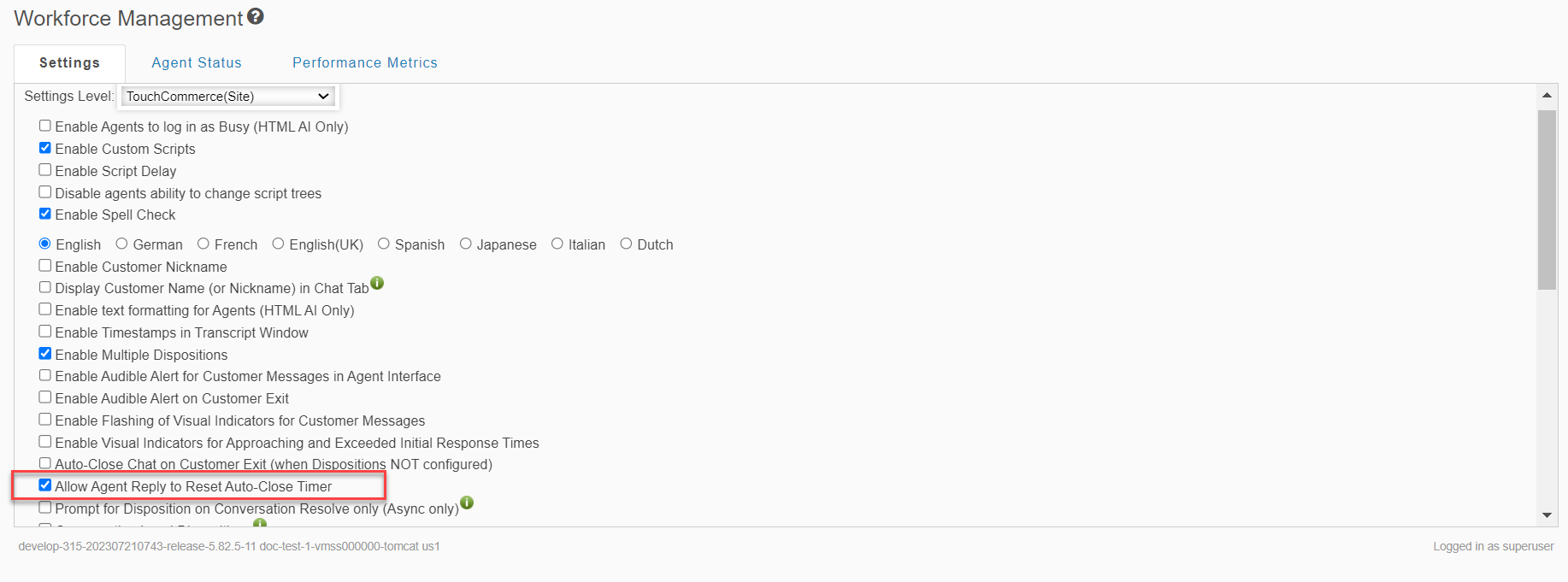
To ensure that the customer has five minutes to respond, set the Allow Agent Reply to Reset Auto-Close Timer option in the Administration > Engagement Experience > Workforce Management section.
Workflow
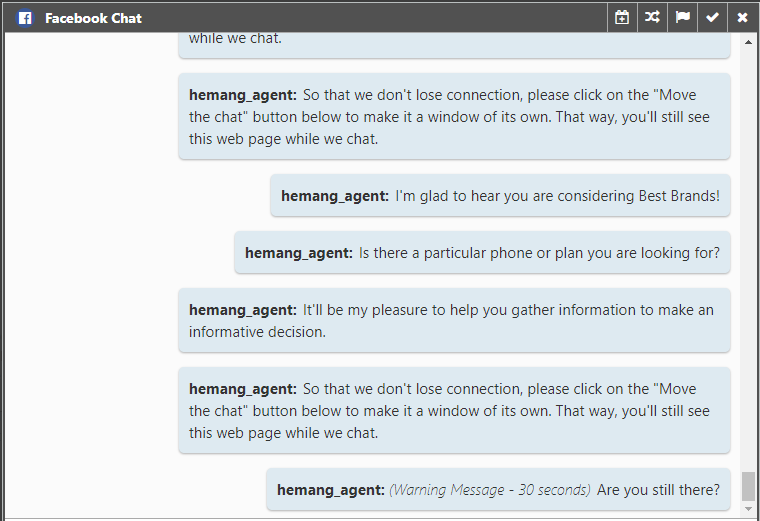
When users enable Auto-Close along with the Warn Customer option, the system sends a warning message to the customer when the Minutes to Warn Idle Customer time expires. The agent can view the warning message in the Agent Desktop chat pane.
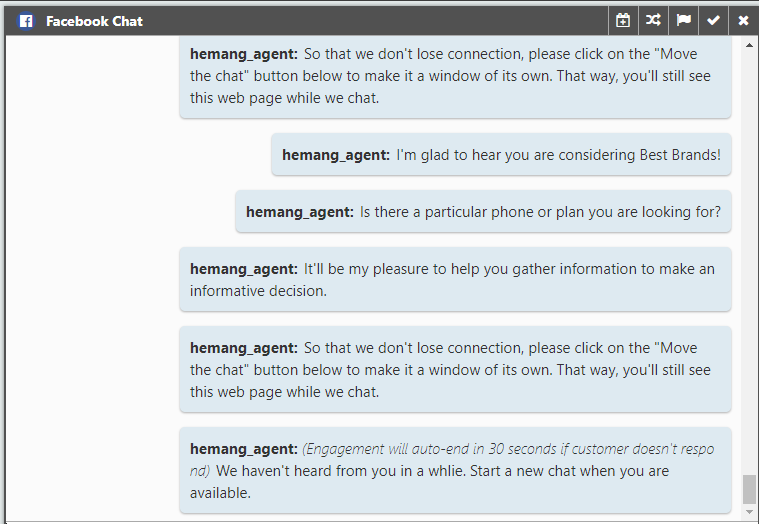
When the Minutes to Auto-Close Idle Customer time expires, the system ends the engagement. If the Close message is enabled in the Portal, the system sends the close message to the customer. The agent can view the Close message in the Agent Desktop chat pane.