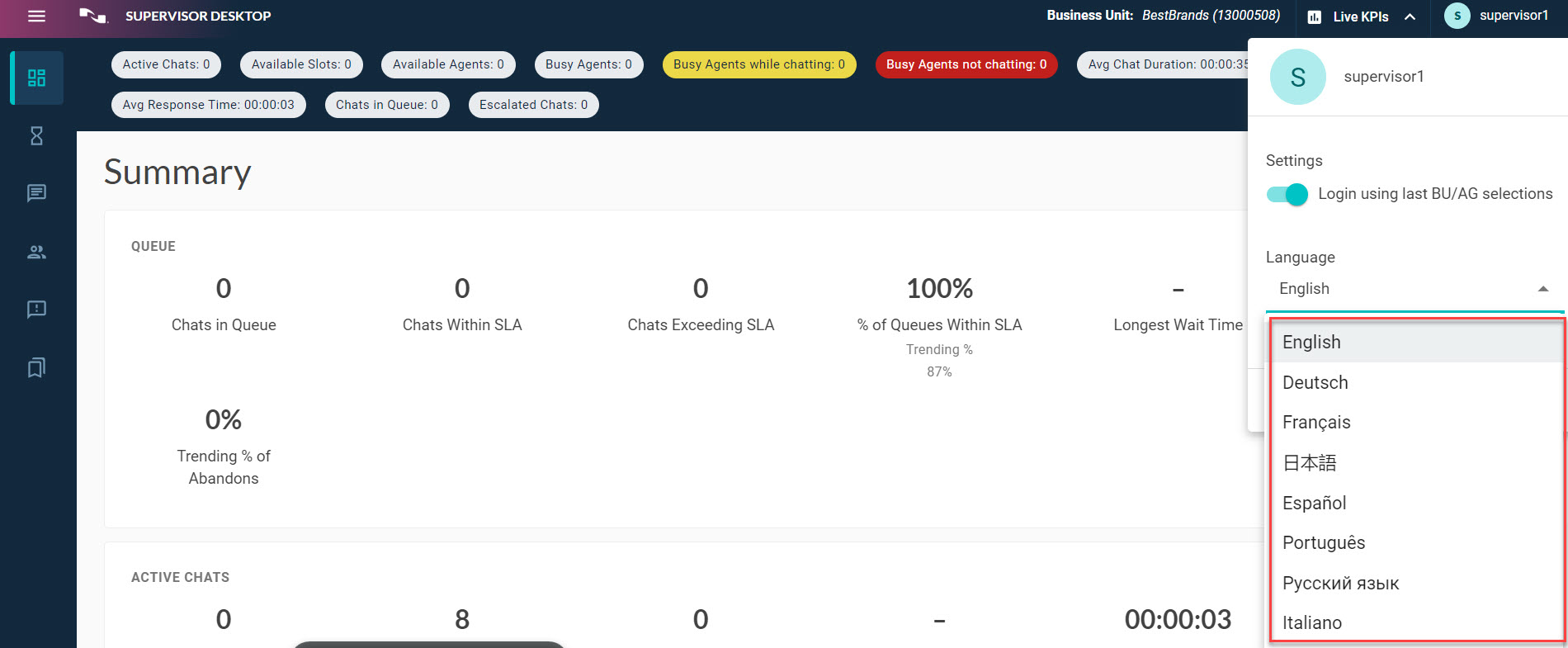
Language selector
The Supervisor Desktop user interface can be displayed into several languages. You can display the user interface text in the following languages:
-
English
-
German
-
French
-
Spanish
-
Japanese
-
Portuguese
-
Russian
-
Italian
Note: Language selector only changes the language selection for the interface text, not the system scripts or conversation text in engagements.
To change the UI display language:
-
Click the user profile button (
 ) at the upper right corner to display the right navigation bar.
 -
Expand the Language selector from the drop-down menu to view the list of available languages.
-
Select the language you want.