Using scripts
Agents can use the system's script line ‘as is’, or edit them before sending.
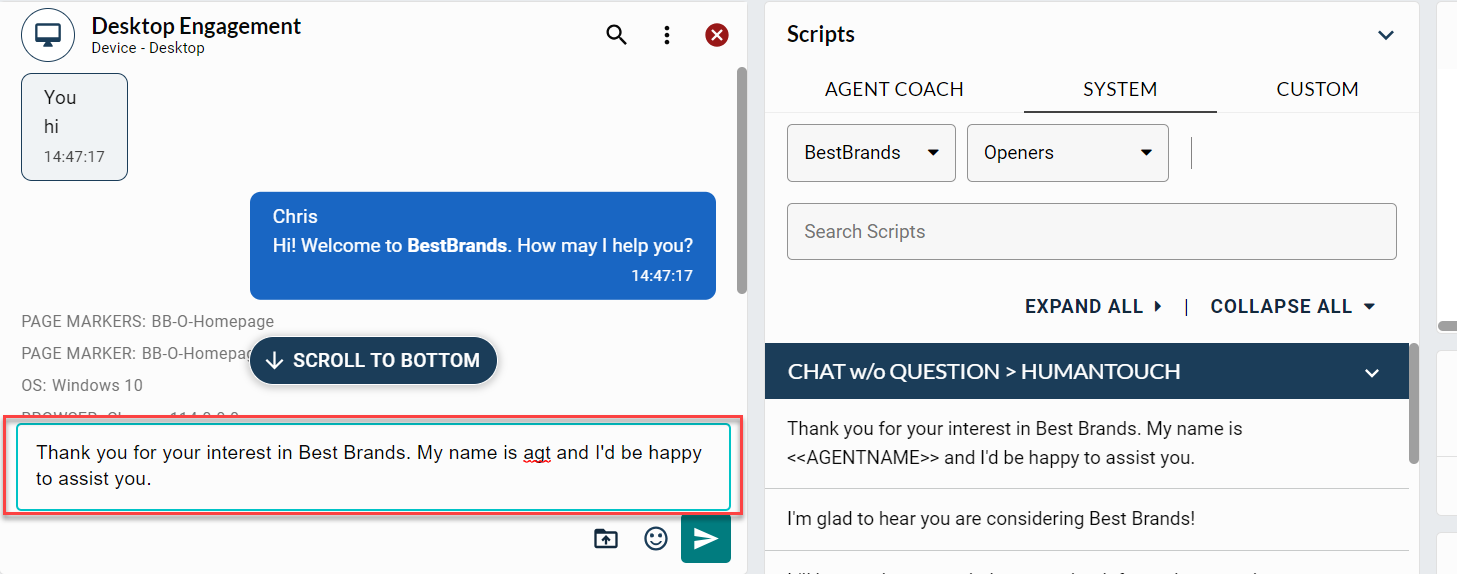
Single or double-click the desired script line to use it "as is."
Hold the SHIFT key and left-click on the desired script line to edit it before sending it. The script line will appear in the Freehand Type window.
Note: Single or double-click is based on the configuration in the My Settings window.
Script delay
When an agent sends multiple script lines simultaneously to a customer, Agent Desktop emulates the agent typing, dynamically changing based on word count–the larger the script the longer the delay and vice-versa.
The formula for logic for script delay is the number of words in the script multiplied by 300ms (based on the average type speed per minute).
When typing free handed, there is no timer–script lines will be sent with no time delay.
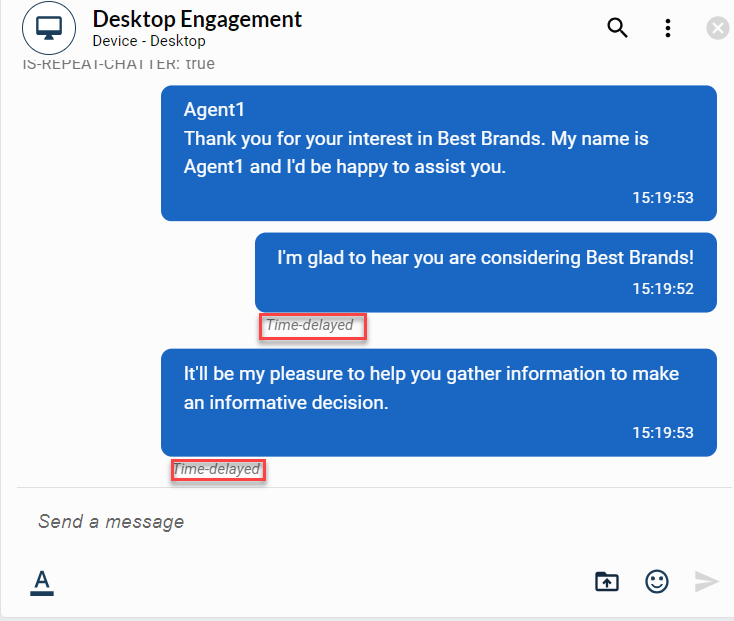
Note: The script delay feature must be enabled for the program.
Script delay - interrupted
When script delay is in progress, and the customer sends a response during this time, all script lines that are in script delay process, will be interrupted and not be sent to the customer. The agent will see the “interrupted, not sent” message in each script line in the Active Engagement transcript, along with a red warning indicator to signal the interruption.
The agent will need to resend the script line(s) due to the interruption by clicking the Resend button, located at the bottom right of each script.
