Edit Custom Scripts and Header
-
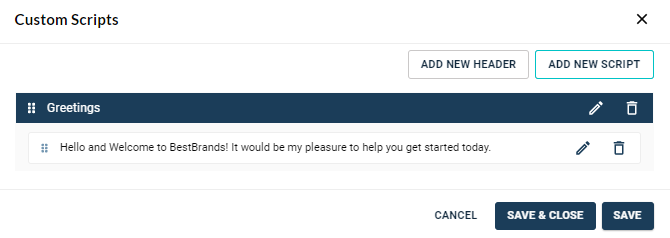
Click the pencil icon next to the script or header.
-
A blue underline appears for the selected script indicating it is ready to be edited. Also, a white box appears for the selected header indicating it is ready to be edited.
-
Once editing is complete, press either Save or Save & Close.

