Speech-to-Text Usage
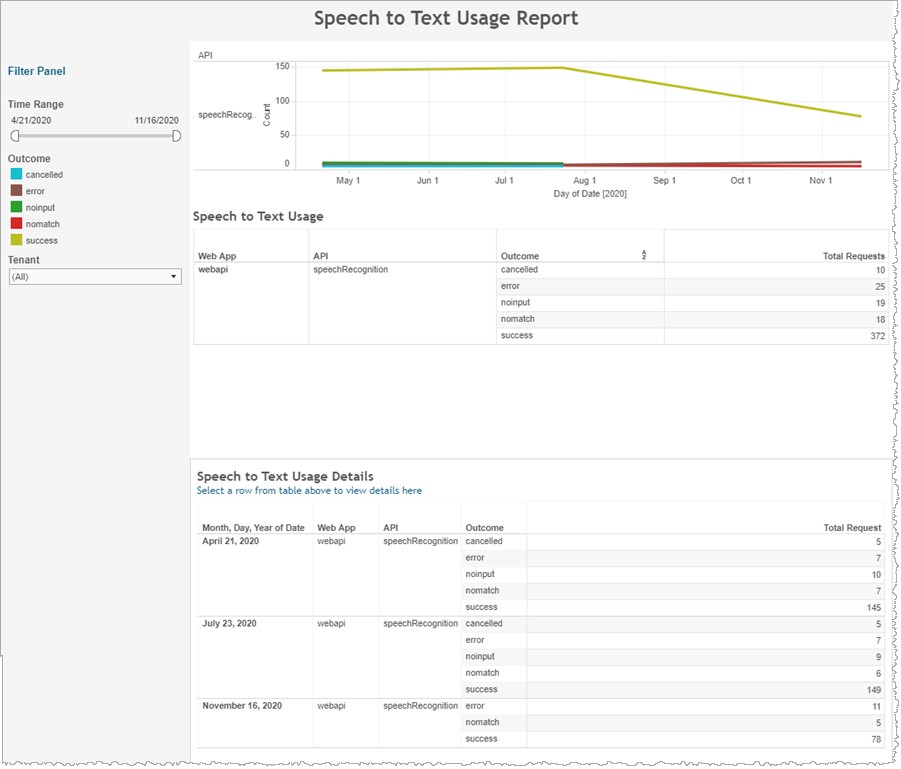
The Speech-to-Text Usage report shows the number of requests and corresponding outcomes for each speech recognition request in each application for the selected range of dates.
In addition to the use of report filters, Nuance Insights allows you to manipulate displayed data through several other means in order to better visualize information. Select from the following to learn more:
Note: This report is applicable only for clients using the Conversational AI channel.
| Column | Description |
|---|---|
| Web App | Web application |
| API | API command (for example, speechSynthesis) |
| Outcome | Result status indicator |
| Total Requests | Total number of requests for this combination of dimensions |
Visualizations
The graph represents request numbers for speech recognition trending over time, broken out by outcome. The Summary table immediately following the histogram is a 1:1 tabular representation of the same data, on a per outcome basis. The Details table at the bottom of the page draws from the same data set but groups the information by date stamp.
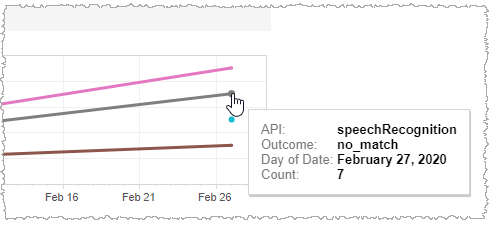
Mouse over any of the trend lines, at any of the displayed dates having a data point, to display a tool tip listing the underlying data for that particular outcome and date.
Several outcomes can indicate reasons why speech recognition did not succeed, as follows:
| Outcome | Description |
|---|---|
| NO_INPUT | The recognizer did not detect speech. If the user was speaking, this result might be because the background noise level threshold was too high. |
| NO_MATCH | The recognizer did not understand what the speaker was saying. |
| CANCELLED | The application canceled the speech recognition command. |
Filters
Time Range
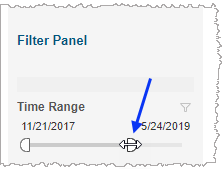
The Time Range slider allows you to narrow or expand the date range. The data displayed in all visualizations automatically reflect the subset of information falling within the selected range.
Tenant
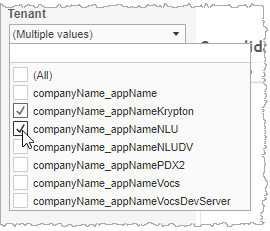
By choosing one or more tenants from the list, you refine your displayed data-set by including data from only those tenants matching the selection. The visualizations automatically reflect the information complying with the tenant selection.