Conversation Comment and Feedback Summary
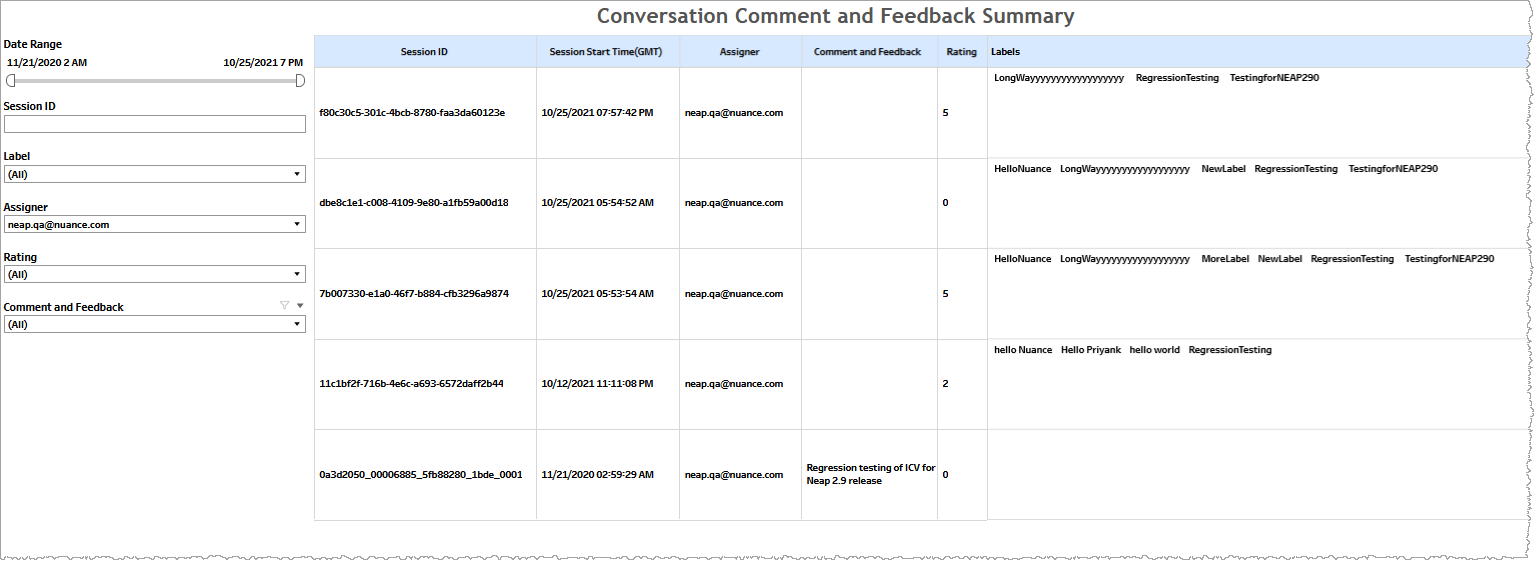
The Conversation Comment and Feedback Summary report finds and lists conversations by filtering for comment and feedback, label or rating metadata associated with session IDs.
- This is not a function available in Conversation Review.
- The data drawn upon by this report is the pool of data within the date range having at least one of comment, rating, or label values. That is, all conversations having comment, rating, and label parameters with null values are excluded.
Alternatively, you can use this report to type in a conversation's session ID to quickly view the comment/feedback, rating, and labels associated with it without having to find the specific conversation in Conversation Review.
Filters
Increase the specificity of your view's reporting by applying filters to the data.
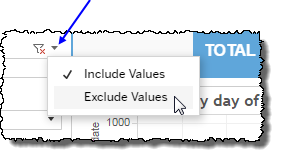
 includes data containing specified filter values or else excludes this subset of data.
Clicking Include values displays only those data possessing the selected values. All other data are hidden from the visualization.
By contrast, clicking Exclude values displays only those data that do not possess the selected values.
Date Range
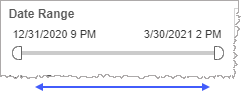
The Date Range filter is a slider with two moveable sides. By narrowing the date range, you display only data falling within the range.
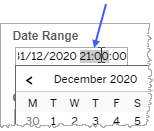
In addition to the slider, the filter allows you to specify start and end points to the range by time of day as well as by date by clicking the Start and End regions, clicking a second time on the time of day, and then manually entering a new time of day.
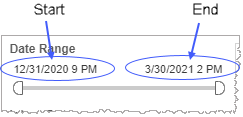
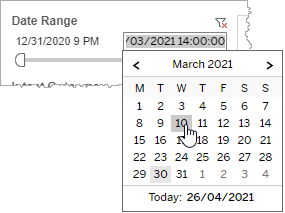
To select a date with the date picker, click the Start region to pick a date from the date picker widget. Do the same with the End region.
Session ID
The Session ID filter allows you to specify a single conversation to view associated comment/feedback, rating, and labels. Using this report in this way is a faster way to see comment, rating, and label data than doing so in Conversation Review.
Note: This is not a filter field supporting comma-separated value input. You can only a single session ID.
Label
Reduce the volume of reported data by specifying which conversations to include based on the assigned label.
Selecting All effectively negates the filtering effect of this filter. Clearing the All checkbox filters out all labels. This is particularly useful if you want to select just a few labels. By clearing the All checkbox, and then selecting the few you would like to include, you avoid the step of individually having to clear each of the individual checkboxes of the labels you do not want to include.
Assigner
Reduce the volume of reported data by specifying which conversations to include based on the identity of the assigner of comments, ratings, and labels.
Selecting All effectively negates the filtering effect of this filter. Clearing the All checkbox filters out all assigners. This is particularly useful if you want to select just a few assigners. By clearing the All checkbox, and then selecting the few you would like to include, you avoid the step of individually having to clear each of the individual checkboxes of the assigners you do not want to include.
Rating
Reduce the volume of reported data by specifying which conversations to include based on the assigned rating.
Selecting All effectively negates the filtering effect of this filter. Clearing the All checkbox filters out all ratings. This is particularly useful if you want to select just a few ratings. By clearing the All checkbox, and then selecting the few you would like to include, you avoid the step of individually having to clear each of the individual checkboxes of the ratings you do not want to include.
Comment and Feedback
Reduce the volume of reported data by specifying which conversations to include based on the comment and feedback.
Selecting All effectively negates the filtering effect of this filter. Clearing the All checkbox filters out all comments. This is particularly useful if you want to select just a few comments. By clearing the All checkbox, and then selecting the few you would like to include, you avoid the step of individually having to clear each of the individual checkboxes of the comments you do not want to include.
Note: If you would like to modify this or any report, Nuance Communications, Inc. recommends you contact Nuance Professional Services.
