Mix Answers Details
The Mix Answers Details table shows the state visits and exit reasons based on the outcome received by Mix.
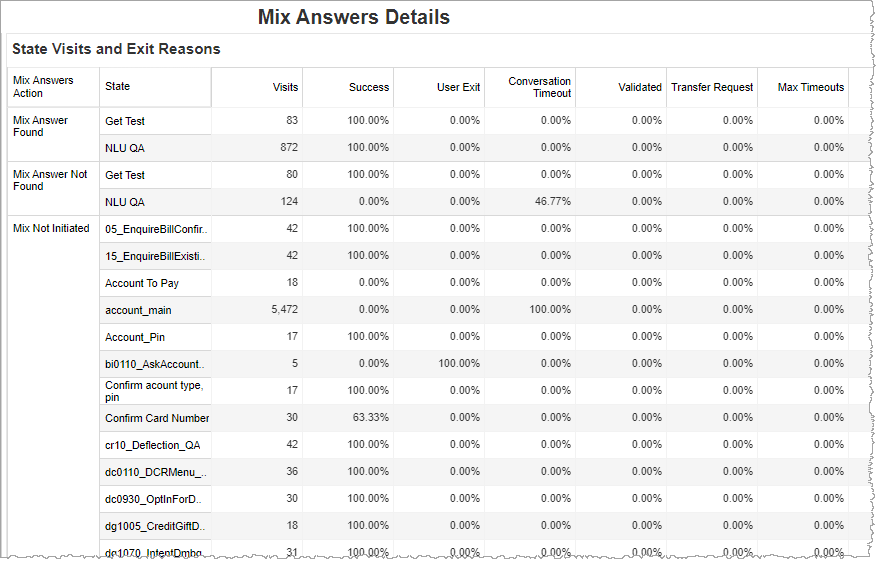
The table is a combination of both raw, recorded data (for example, the number of visits of a particular state for the Mix answers action) as well as calculated data (for example, the average number of confirmation stepsof a particular state for the Mix answers action). The following are descriptions of the data in this view, and correspond to the table's column headers:
| Visit/Exit Reason | Description |
|---|---|
|
Visits |
This is a raw count of the number of visits to a particular state. |
| Success | The rate of successful completion of finding answers by Mix. |
| User Exit | The percentage of instances in which a user initiates the termination of the conversation. |
| Conversation Timeout | The percentage of instances in which the conversation timed out. |
| Validated |
The percentage of instances in which the Mix answers are validated. |
| Transfer Request | The percentage of instances in which a user requests an agent regardless of whether a transfer subsequently is completed by the application. |
|
Max Timeouts |
This is a calculated metric of the proportion (in percent) the MAX TIMEOUTS exit reason . |
| System Error |
The percentage of instances in which an application- or system-based error initiates the termination of the conversation. |
| Max Attempts | The percentage of instances that ended because the incidence of one or more error types has reached a programmatically set limit on the number of times the error may occur. |
|
Avg Collection Steps |
This is a calculated metric of the mean number of recognition requests meant for collecting an input from the Mix. |
|
Avg Confirmation Steps |
This is a calculated metric of the mean number of recognition requests meant for confirming an input from the Mix. |
Filters
Increase the specificity of your report by applying filters to the data. The DM Command report's filters include Date, Limit to Top DMs, Dialog Module, and Command. Additionally, the report may include one or more other customized filters depending on what has been configured specifically for your system.
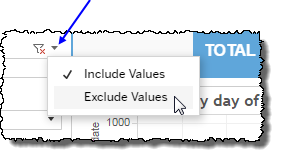
 includes data containing specified filter values or else excludes this subset of data.
Clicking Include values displays only those data possessing the selected values. All other data are hidden from the visualization.
By contrast, clicking Exclude values displays only those data that do not possess the selected values.
Date
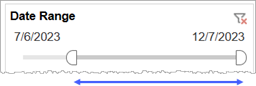
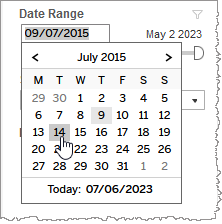
The Date Range filter is a slider with two moveable sides. By narrowing the date range, you display only data falling within the range.
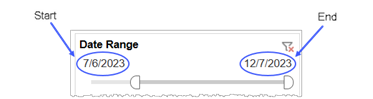
Alternatively, to select start and end dates with the date picker, click the Start region to pick a date from the date picker widget. Do the same with the End region.
Channel (filter)
By choosing one or more channels from the list, you refine your displayed data-set by including data from only those channels matching the selection.
- Select all available values by selecting All.
- Select only one value by first clearing the All checkbox, and then selecting the value whose data you would like to see visualized.
-
Select several values by doing one of the following:
- Clear the All checkbox, and then select the values whose data you would like to see visualized.
- Select the All checkbox and then clear values whose data you would NOT like to see visualized.
Custom filters
This report accommodates customizable filters.
Customizable filters narrow the scope of the reported dataset by including or excluding data with identifiable attributes. These attributes may be about the caller, the call itself, or about an event that may have happened during the call.
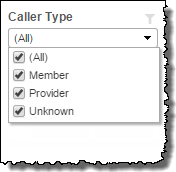
For example, one possible customizable filter you can add and customize in this view is Caller Type, in which you can narrow the reported data to include, or exclude, only those data with the selected caller type.
For more information about how to add customized filters to your view, contact your Nuance Professional Services representative.
Note: If you would like to modify this or any report, Nuance Communications, Inc. recommends you contact Nuance Professional Services.
