Clearing the cache
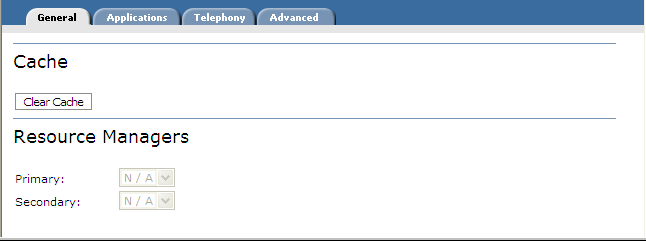
Restarting a service that caches resources clears its cache. You can use the Clear Cache function in Management Station to clear the cache immediately without your having to restart the service. Fetched resources like prompts, VoiceXML pages, and so on are reloaded at the next request instead of being retrieved from virtual memory. This ensures that the latest resources are used.
The function appears on the General properties tab for the Voice Browser service only. For more information, see Deployment and caching.
You can clear the cache at different scopes:
- Nuance Network—Applies to all relevant services on the network.
- Cluster—Applies to all relevant services running on hosts and clusters in the selected cluster.
- Host—Applies to all relevant services on the selected host.
- Service—Applies to the selected service. Note that clearing the cache on a selected service has no impact on other services. At this scope, you must clear the cache from each service.
To access:
- From the System View, select a scope from the network tree: Nuance Network, a particular cluster, host, or service.
- Click the Properties link for that scope. For example, at the network scope, the cache is cleared immediately from all Speech Servers, recognition, and voice browser services with one click.
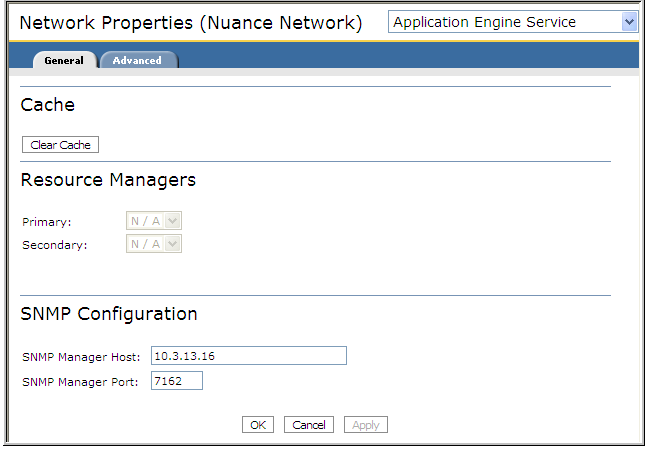
If you’re running a role with multiple services and you want to clear the cache from all instances of a particular service:
- Select a host then Services from the toolbar.
- Click the Properties icon from the Group level. For example: