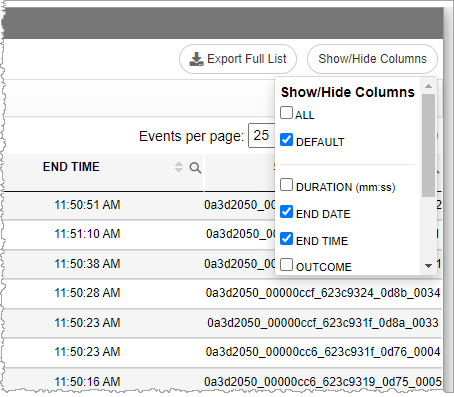
Adjusting the displayed Conversation List Columns
Note: Nuance Insights supports navigating and performing operations with a variety of methods, including a combination of keyboard and mouse, keyboard only, having elements on the screen being audibly described (requires 3rd party software like JAWS), and having voice input interpreted (requires Nuance Dragon). See Accessibility for more information.
-
Click the Show / Hide Columns button on the far right side of the title bar.

-
In the Show/Hide columns list, select ALL to show all columns, DEFAULT to show only the default columns, or individually select columns.