Searching for Conversations
Note: Nuance Insights supports navigating and performing operations with a variety of methods, including a combination of keyboard and mouse, keyboard only, having elements on the screen being audibly described (requires 3rd party software like JAWS), and having voice input interpreted (requires Nuance Dragon). See Accessibility for more information.
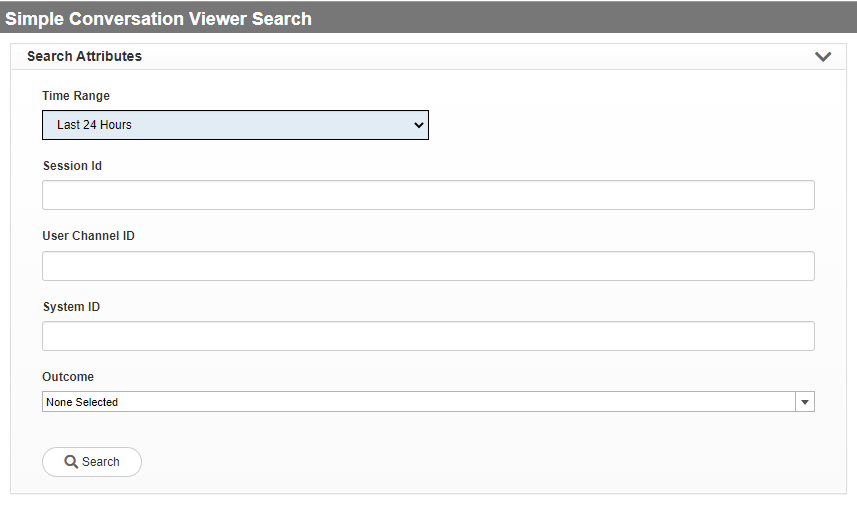
You can search for conversations on the Simple Conversation Viewer Search page by specifying a time range and then filtering for session ID, User Channel ID, System ID, or Outcome.
-
Select a time range preset.
-
If desired, narrow the scope of the data by specifying one or more values for conversation parameters.
Only those data having these parameter values are included in the displayed list of conversations.
-
Session ID - Each conversation has an application-generated ID that is unique to the conversation. An application using a Session ID creates a conversation log whose file name includes the ID string. You can enter a single Session ID to select a single conversation, or else you can enter a list of comma-separated Session IDs. Additionally, you can use the * (asterisk) symbol to define wild cards. The wild card asterisk takes the place of missing characters and can be used both before and after entered characters.
-
User Channel ID - The ID of the customer in a given channel: ANI (IVR, SMS, Whatsapp), Facebook page for FBM, IP for webchat. You can enter a single user channel ID to select a user channel, or else you can enter a list of comma-separated user channel IDs. Additionally, you can use the * (asterisk) symbol to define wildcards. The wildcard asterisk takes the place of missing characters and can be used both before and after entered characters.
-
System ID - Identity of the system. You can enter a single system ID to select a single conversation, or else you can enter a list of comma-separated system IDs. Additionally, you can use the * (asterisk) symbol to define wildcards. The wildcard asterisk takes the place of missing characters and can be used both before and after entered characters.
-
Outcome - The conversation outcome is any one of several possible categories defining how a conversation finishes. With this filter, you can select one, some, all, or none of the listed outcomes in the drop-down list.
-
-
Click Search.
The system generates a conversation list based on the configured filtering.
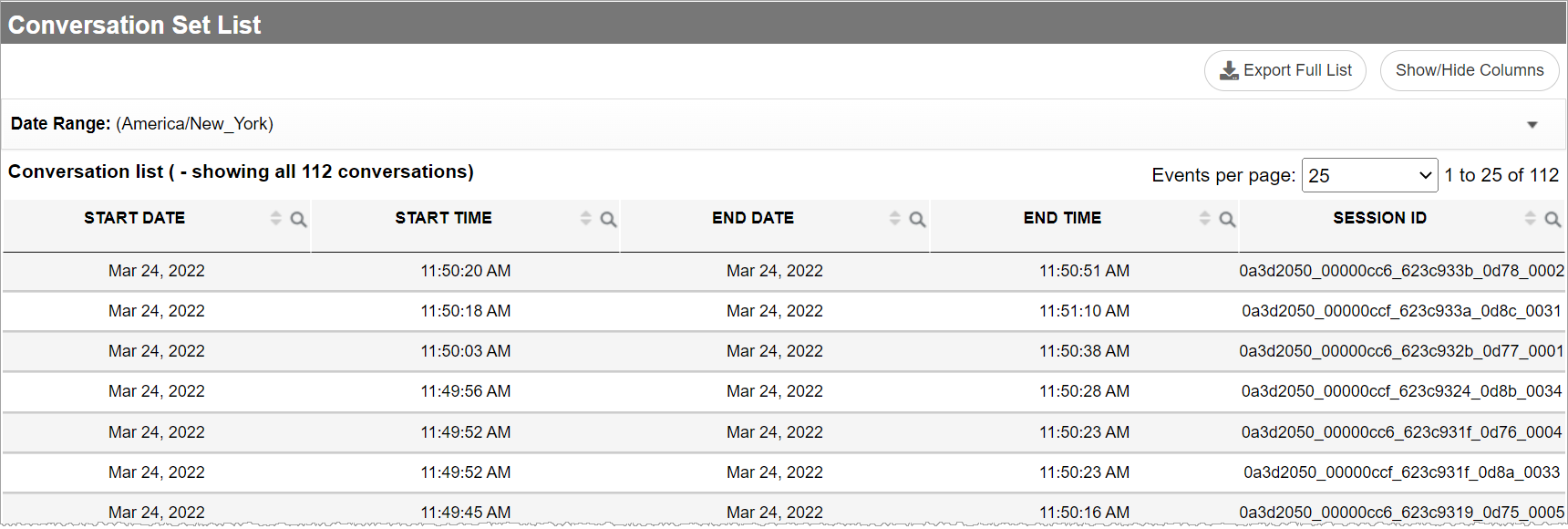
Note: The displayed time zone (top-left) of Conversation List represents the time zone of the listed start and end times.
