Conversation View page
Note: Nuance Insights supports navigating and performing operations with a variety of methods, including a combination of keyboard and mouse, keyboard only, having elements on the screen being audibly described (requires 3rd party software like JAWS), and having voice input interpreted (requires Nuance Dragon). See Accessibility for more information.
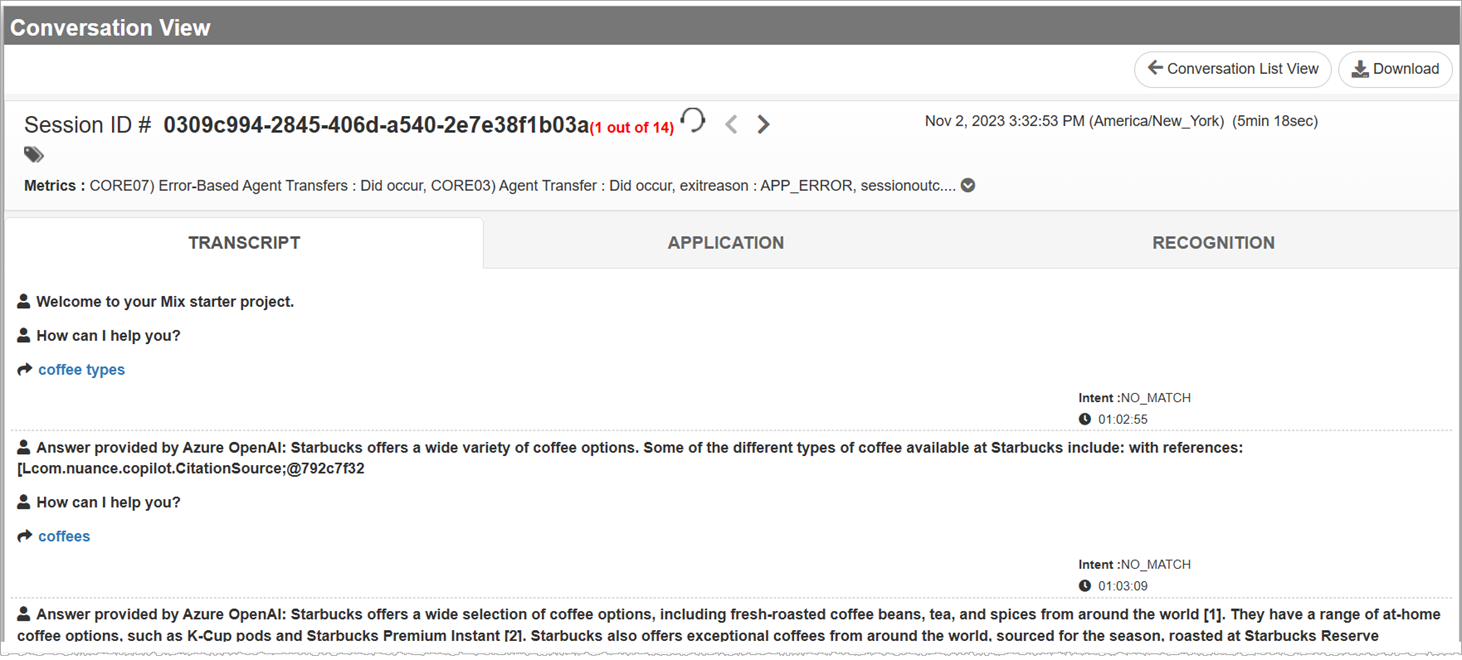
Conversation View displays all available information about the selected conversation. Along with a summary of conversation-level information, the Conversation View page breaks down logged information about a conversation on a per state basis. This information is presented in tabular form. Each row of the table represents the logged occurrence of a state. A state may be any one of the following: Database state, Decision state, Play state, Q and A state, and Application-defined state.
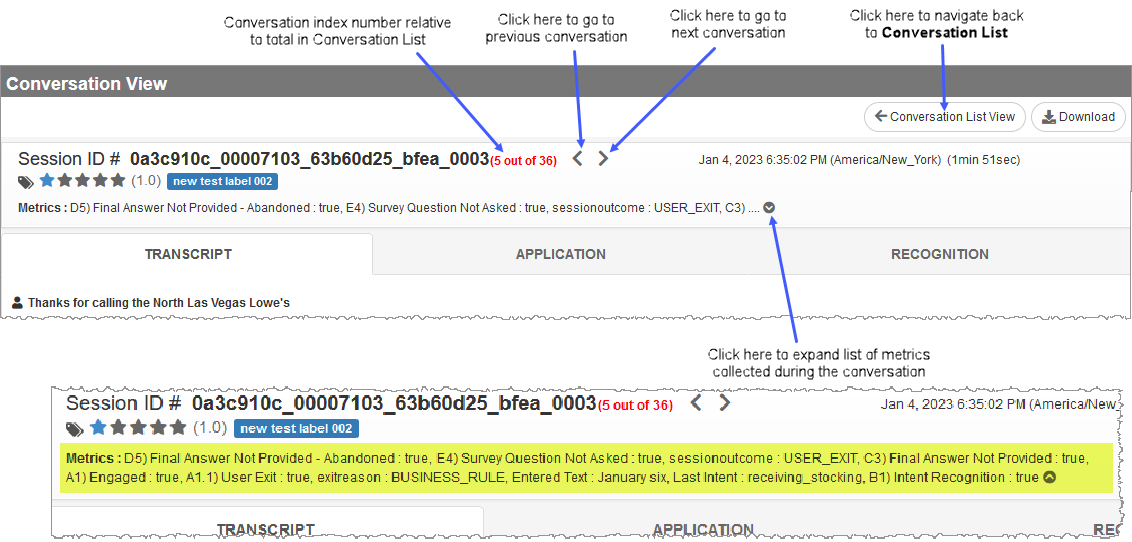
In the Conversation View page, to advance directly to the next consecutive conversation in a Conversation List, click the Next arrow (  ) beside the session ID #. If you want to go back to the conversation immediately before the current one, click the Previous arrow (
  ). You can navigate back to Conversation List page using the Conversation List View button.
Note: Conversation View uses symbols to communicate various statuses, values, assigned categories, and rate of progress. Click here for more information about Conversation View's use of symbols.
TRANSCRIPT tab
The TRANSCRIPT tab represents data from the dialog (DLG) log. You may download the transcript either as a PDF or a JSON file.
APPLICATION tab
Application logs contain all information about a conversation. You can see a conversation's sequence of state occurrences, their respective state types, time stamps, durations, the task each state belongs to (if applicable), and the outcome (if the state is a Q&A node).
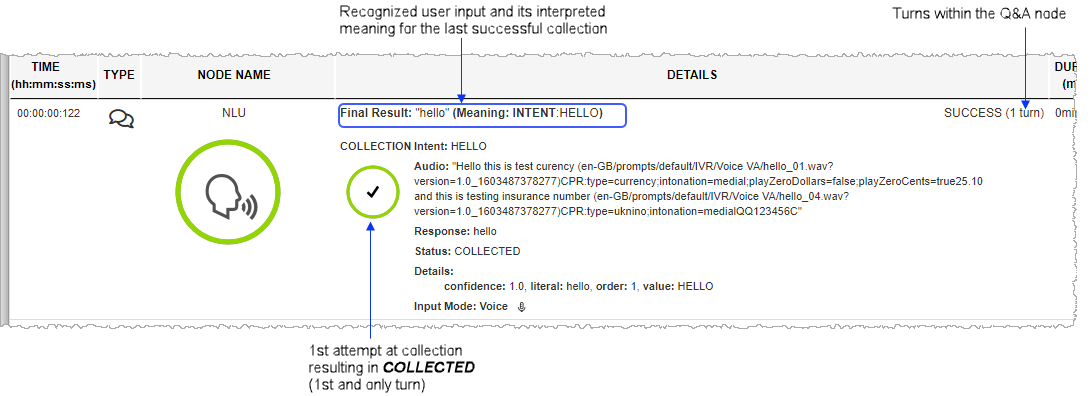
RECOGNITION tab
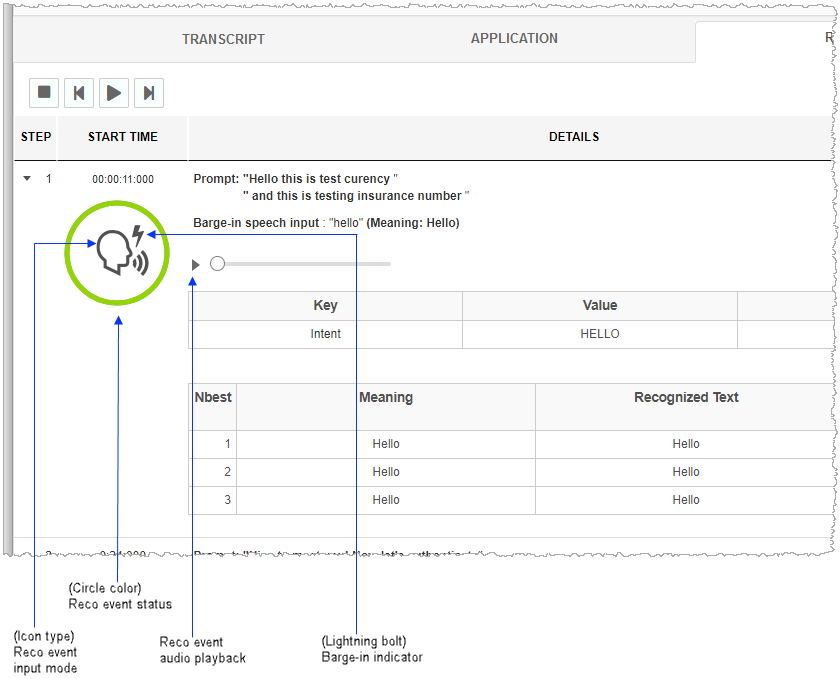
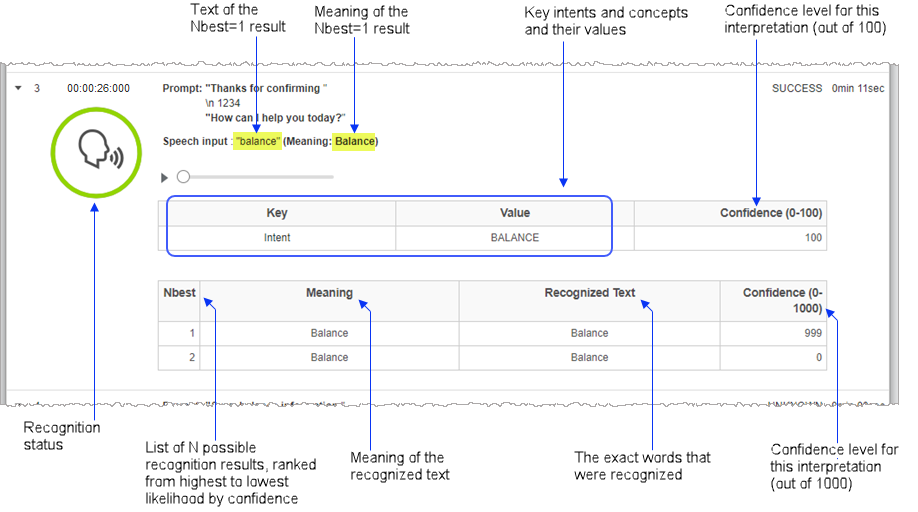
The RECOGNITION tab displays data from Nuance Recognizer logs in the form of Nbest ranking, meaning, recognized text and numerical confidence value.