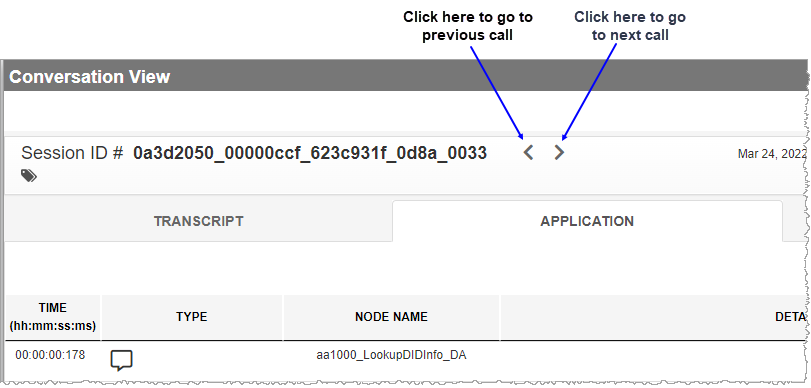
Conversation View page
Conversation View displays all available information about the selected conversation. Along with a summary of session-level information, the Conversation View page breaks down logged information about a conversation on a per state basis. This information is presented in tabular form. Each row of the table represents the logged occurrence of a state. A state may be any one of the following: Database state, Decision state, Play state, Dialog Module state, and Application-defined state.
IVRs produce two types of log data: Application logs and Recognition logs. There is no data overlap between these two types of logs. When Application logs and Recognition logs are both present, both the APPLICATION tab and the RECOGNITION tab are visible in the Conversation View page.
Note: If you do not see the APPLICATION or RECOGNITION tabs, it's possible the LOGTYPE parameter is not configured to NDF,NR in Zookeeper. If you expect to see these tabs and do not, contact your next level of support.
In the Conversation View page, to advance directly to the Conversation View of the next consecutive conversation in a Conversation List, click the Next (  ) arrow beside the session ID #. If you want to go back to the conversation immediately before the current one, click the Previous (
  ) arrow .
Note: Nuance Insights supports navigating and performing operations with a variety of methods, including a combination of keyboard and mouse, keyboard only, having elements on the screen being audibly described (requires 3rd party software like JAWS), and having voice input interpreted (requires Nuance Dragon). See Accessibility for more information.