Cancel records in inventory
You can cancel sending records that are currently in inventory from the Records panel. The cancellation process is asynchronous and you won't see any change in the panel immediately. You'll receive an email confirmation from both data centers when cancellation is complete, which could take up to 10 minutes. Do not resume the campaign or load new records until you receive both confirmation emails.
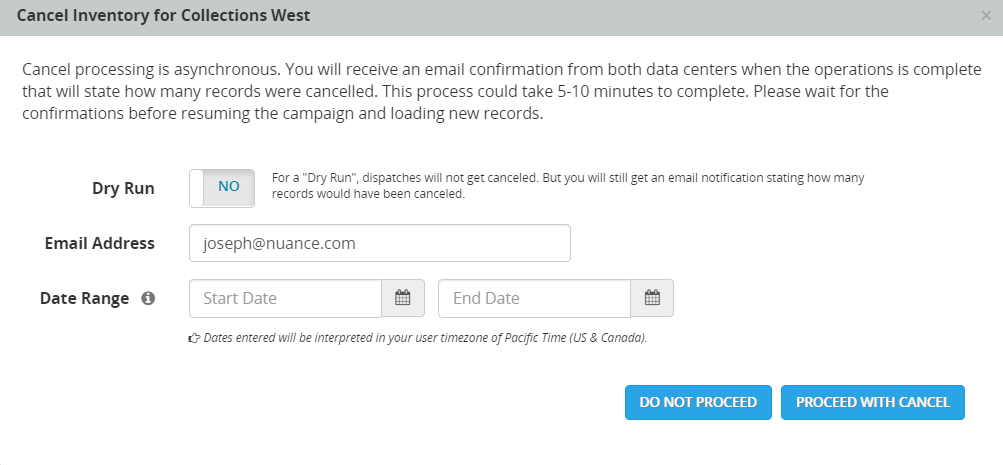
If you want to know in advance how many records will be canceled by the operation, set the Dry Run option to Yes before clicking Proceed with Cancel. You receive an email notification stating how many records would have been canceled, but no records will actually be canceled.
You must suspend the campaign before you cancel to ensure that no records are sent while the cancel operation is processing.
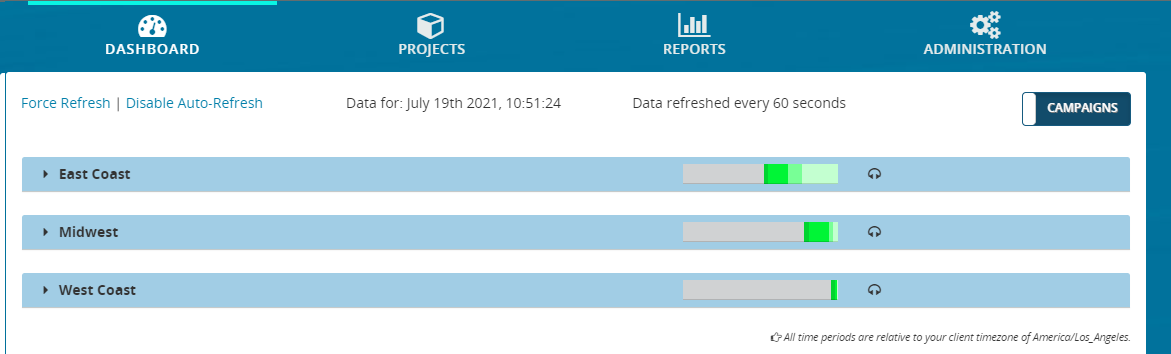
- From the header bar, click DASHBOARD. This displays a list of campaigns:
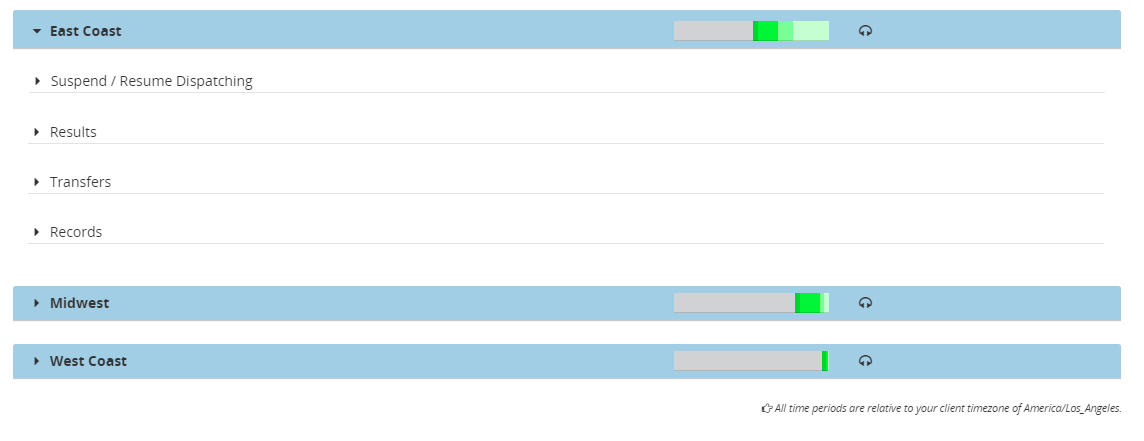
- Locate a campaign and click anywhere on it. This displays the panels for Suspend / Resume Dispatching, Results, Transfers, and Records
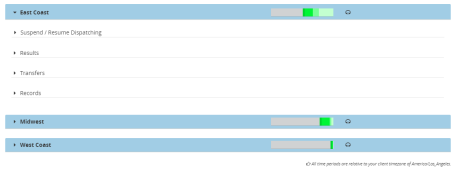
- Click Records. This expands the Records panel, showing details about records completed and scheduled for that campaign. If the Cancel Inventory button is disabled, it means that the campaign has not been suspended. For more information, see Cancel records in inventory. For example:

- Click Cancel Inventory. This displays the Cancel Inventory dialog box, for example:
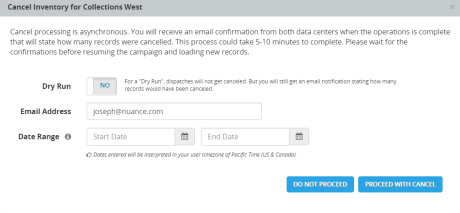
- For Dry Run, select Yes if you want to see a notification stating how many records would be canceled without actually canceling them. Select No if you want to actually cancel the remaining records in inventory.
- For Email Address, enter the email address you want the notifications sent to.
- For Date Range, enter the date range of the records you want to cancel. To cancel all outstanding inventory, leave this blank. Be sure to specify a date range broad enough to cover the dates that the records were loaded into the system. Records loaded after the completion of the cancel operation are not affected by the cancel.
- Click Proceed with Cancel. The cancellation process is asynchronous and you won't see any change in the panel immediately. You'll receive an email confirmation from both data centers when cancellation is complete, which could take up to 10 minutes. Do not resume the campaign or load new records until you receive both confirmation emails.