Cancel an input file being processed
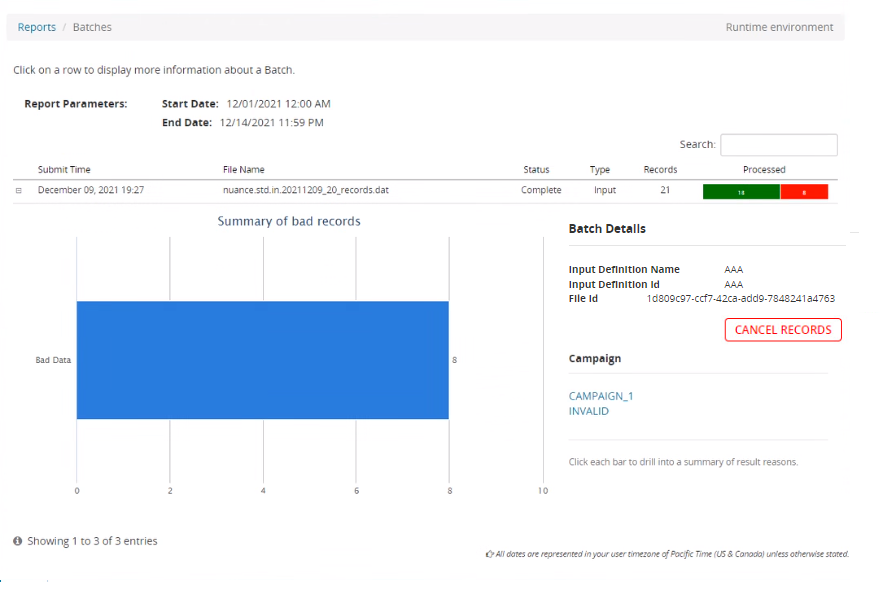
If you have just uploaded an input file but need to halt the processing of records for some reason, you can do this using the Cancel record button. This button is found on each batch in the Batches reports page and the cancellation is specific only to the batch selected on that page. If the batch has already been canceled, the button is disabled.
The button has the following effects:
-
Interactions that are already in COMP status and have no pending delivery attempts (no future retries) remain in COMP because they are considered completed. Their interaction status is not updated to CANCEL.
-
Interactions that have pending delivery attempts are updated to CANCEL status and pending delivery attempts are cancelled.
Use the following process to cancel an input file:
- Open Composer and click REPORTS on the top menu bar.
- On the left nav bar, find the environment you want (RUNTIME or CONFIGURATION ).
- Under Batches, click the report you want to see: Today or Advanced Search.
- Click the batch you want to cancel.
- Click Cancel records. Here's an example:
- This will display a confirmation dialog box. Click OK. to confirm cancellation.
- To monitor the progress of cancellation go to Dashboard > <campaign name> > Results.