View Interaction reports
An interaction is a set of deliveries (attempts and responses) resulting from a record input to the platform. You can generate an Interactions report containing interactions for the selected client, using filters for date range, segment, and delivery address.
There are three options to generate reports about interactions:
-
Today: Shows all deliveries made so far for today's date.
-
Advanced Search: Allows you to query deliveries for a date range, specific segments, and other criteria.
Click Reports in the header bar to display these three options in the left navigation bar:
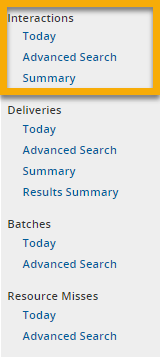
Use of these options is explained below.
Note: For dates, select either when created or when updated, which determines whether the date used for an entity is the original date (when created) or the most recent update (when updated).
Note: Queries cannot return delivery data older than 30 days.
Show interactions for today
The Today option shows interactions for today's date. (This option is a shortcut to an Advanced Search that shows all interactions for today.)
- Open Composer and click Reports on the top menu bar.
- On the left nav bar, find the environment you want (RUNTIME or CONFIGURATION ).
- Under interactions, click Today.
- The report showing interactions for today's date is displayed. Only interactions made up to the current time are shown. If more interactions occur later, they won't show up here until you query again.
Query using Advanced Search
Advanced Search allows you to query for a list of interactions. You can query by date range, segment, and delivery address. If you query without specifying a date range, the query returns interactions since the beginning of the day. Advanced Search cannot return interaction data older than 30 days.
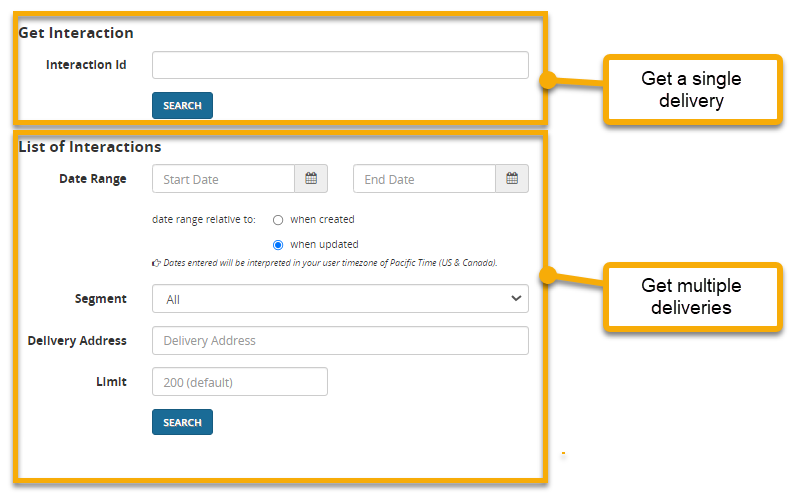
In addition, you can query for a specific interaction ID by using the interaction Id option under Get interaction.
To query using Advanced Search:
- Open Composer and click Reports on the top menu bar.
- On the left nav bar, find the environment you want (RUNTIME or CONFIGURATION ).
- Under Interactions, click Advanced Search.
- Under List of Interactions, enter one or more of the following fields: Date Range, Segment, Delivery Address, and Limit (the maximum number of interactions to retrieve). Then click Search.
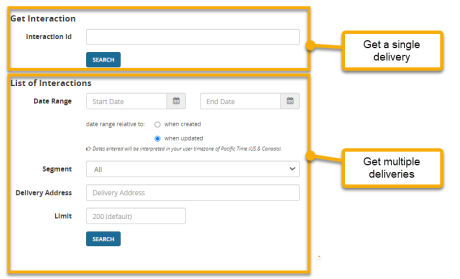
- The report should display.
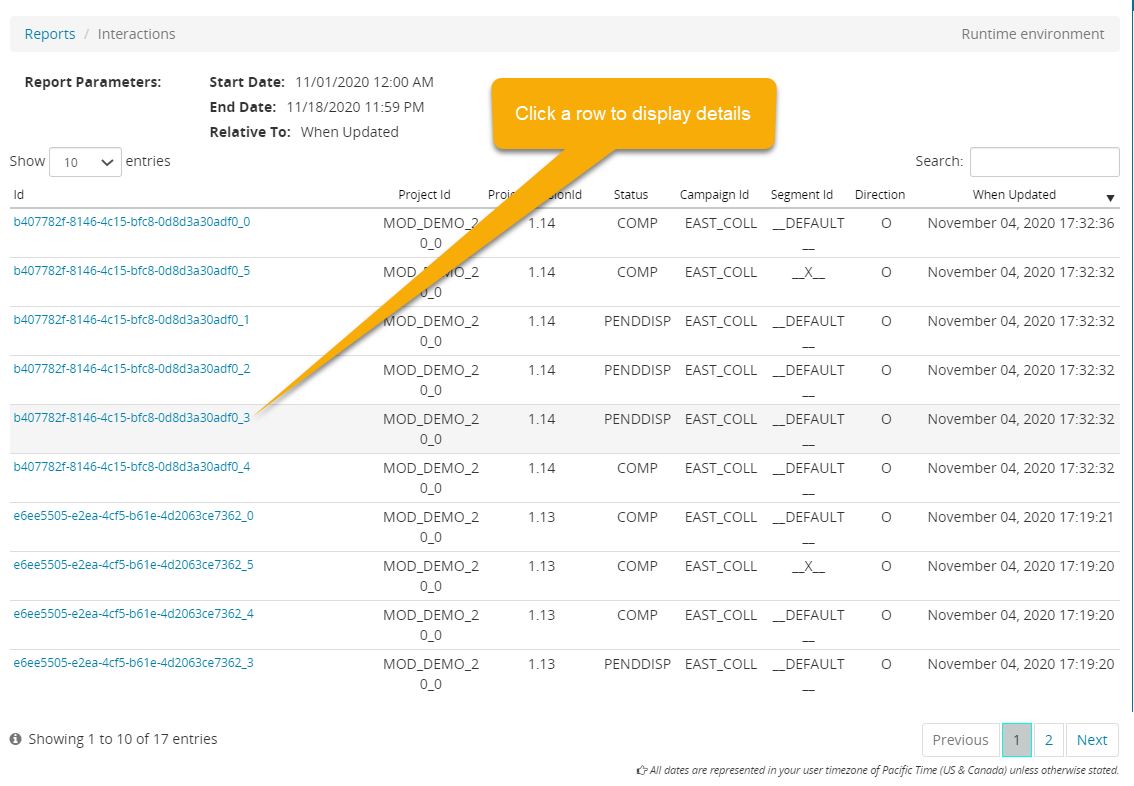
This is a sample Interactions report. Each row shows one interaction.
 .
.
Click a row to display an interaction detail page:
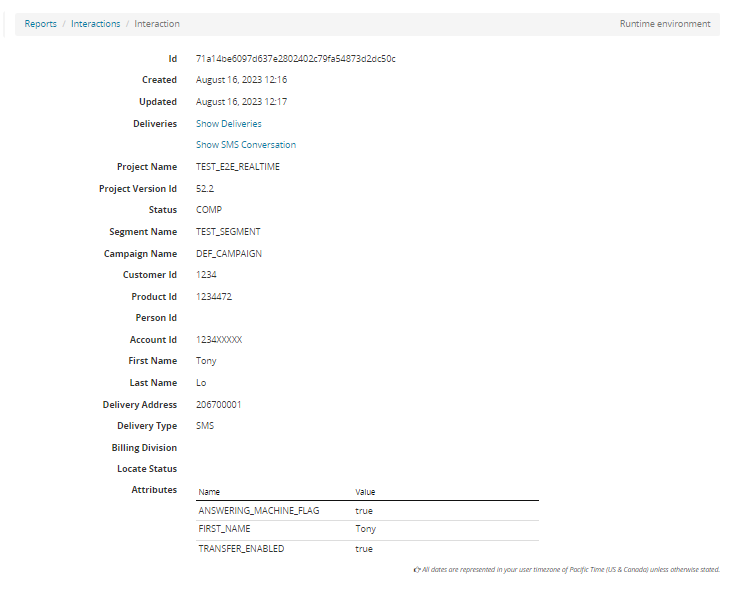
The bottom rows show attributes, which are user-defined name/value pairs.
From this page, you have several navigation options:
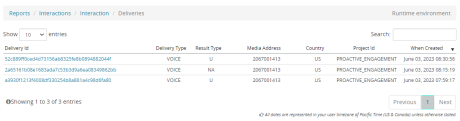
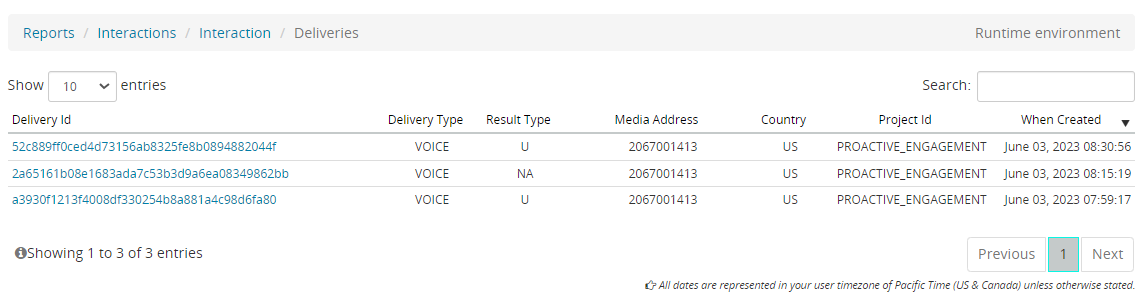
- Click Show Deliveries to display a list of deliveries contained in this interaction:
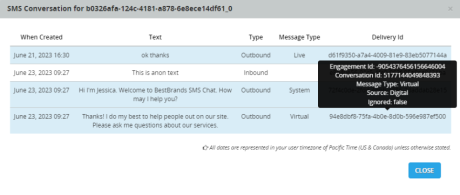
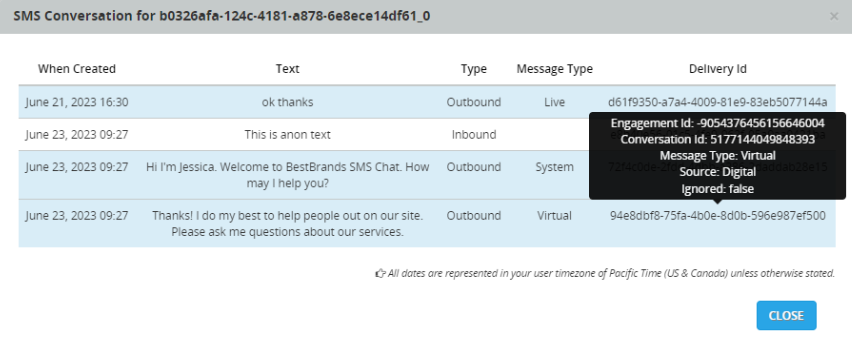
- Click Show SMS Conversation to display the full set of SMS messages for this interaction. When the messages appear, hover over any Delivery Id to display details about the delivery:
- Click Get Pending Dispatch to display details for pending dispatches, if any. A pending dispatch is a delivery that is scheduled but has not yet occurred. These dispatches have a status of PENDDISP.
- Click Interactions to return to the Interactions report.
- click Get Schedule with Window to display details about schedules and windows, if any.
- Click Reports to return to the query page.
Query using Summary
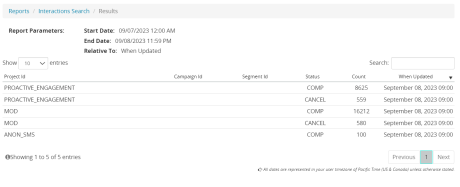
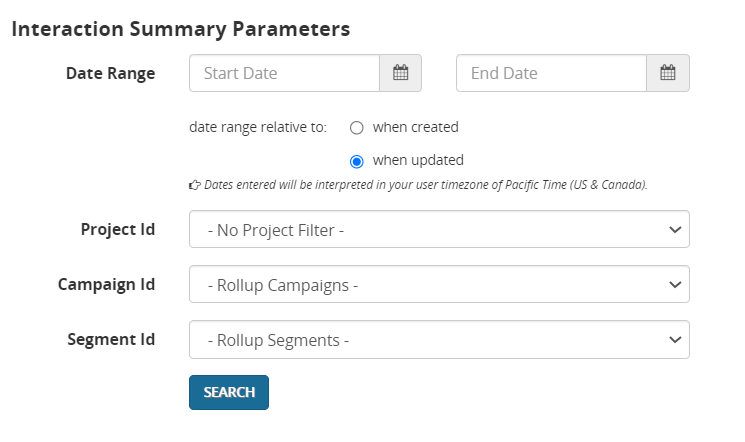
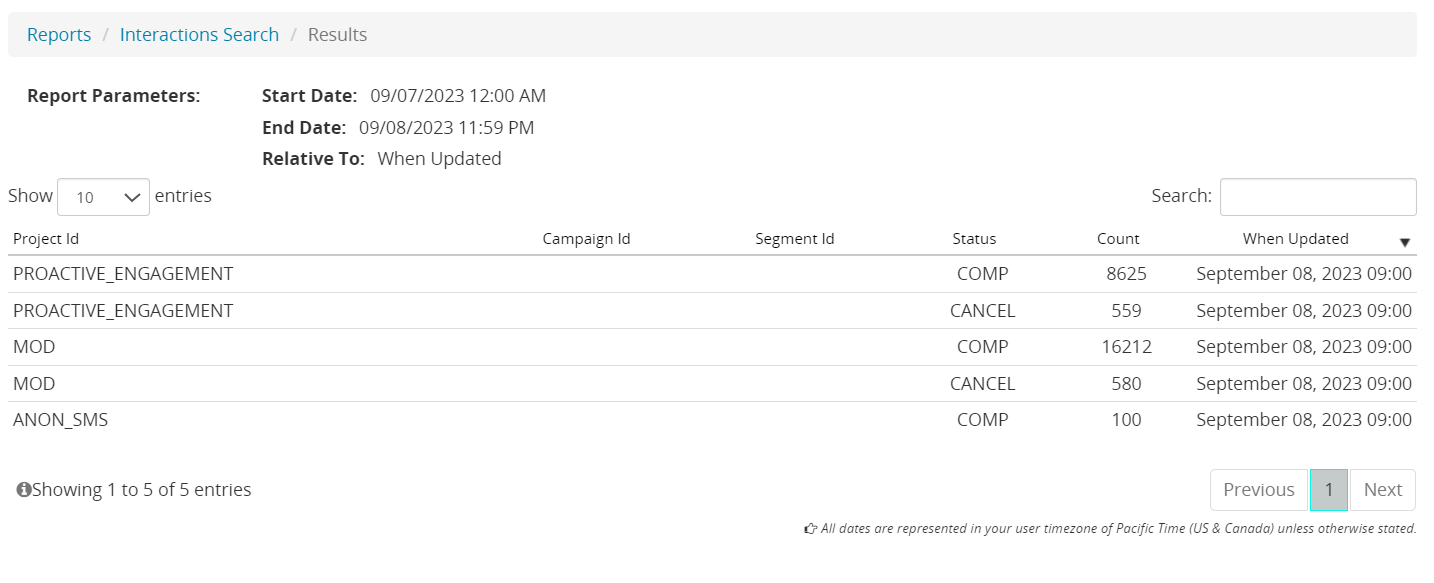
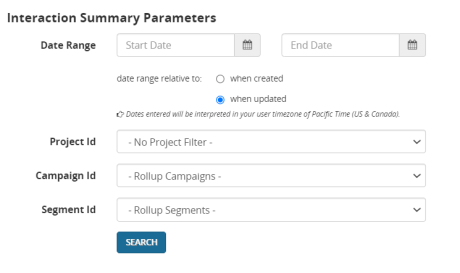
The Summary option shows hourly summaries of results. Each line shows data for a single result type for a single project for a single hour. You can query by projects, campaigns, and delivery types. The maximum query period is three days.
- Open Composer and click Reports on the top menu bar.
- On the left nav bar, find the environment you want (RUNTIME or CONFIGURATION ).
- Under Interactions, click Summary.
- Select one or more of the following fields: Date Range, Project Id, Campaign Id, and Segment Id. Then click Search.
- The summary report should display: