View Preview reports
A preview is a way to test a project on sample data. Quick previews are previews performed using the Preview button on the PROJECTS tab. To view quick preview results, see the Preview section in the REPORTS tab.
Note: Results from regular previews do not appear in the Preview section of REPORTS They appear in the Deliveries and Batches sections.
To generate a Quick Preview report:
- Open Composer and click REPORTS on the top menu bar.
- Under CONFIGURATION in the left nav bar, find Preview,
- Click the report you want to see: Today or Advanced Search.
- Click SEARCH.The report will display.
Here is a sample Quick Preview report. The report shows only the previews that you launched and hides those performed by other users.
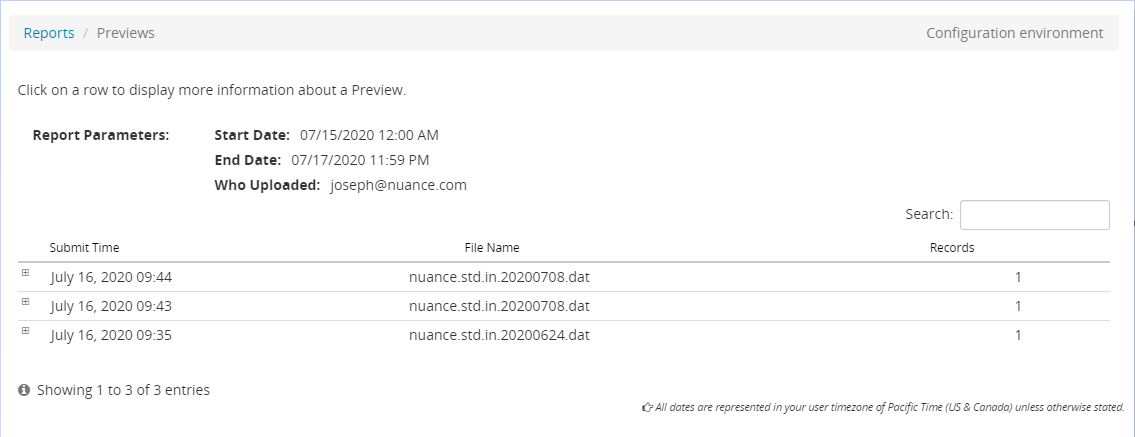
From this page, you can:
- Click Reports to return to the query page.
