View Resource Misses reports
A resource miss is a failed attempt by a project to retrieve a resource, such as a voice prompt. A project is typically designed to handle missing resources in a seamless way, such as using a default prompt if a recorded prompt is missing. If you see too many resource misses in a project, it could indicate a problem that needs to be addressed.
Note: Resource Misses reports are available only for Runtime data.
To generate a Resource Misses report:
- Open Composer and click REPORTS on the top menu bar.
- Under RUNTIME > Resource Misses, click the report you want to see: Today or Advanced Search.
- Click SEARCH.The report will display.
Here is a sample Resource Misses report. Each row shows a resource and the number of misses.
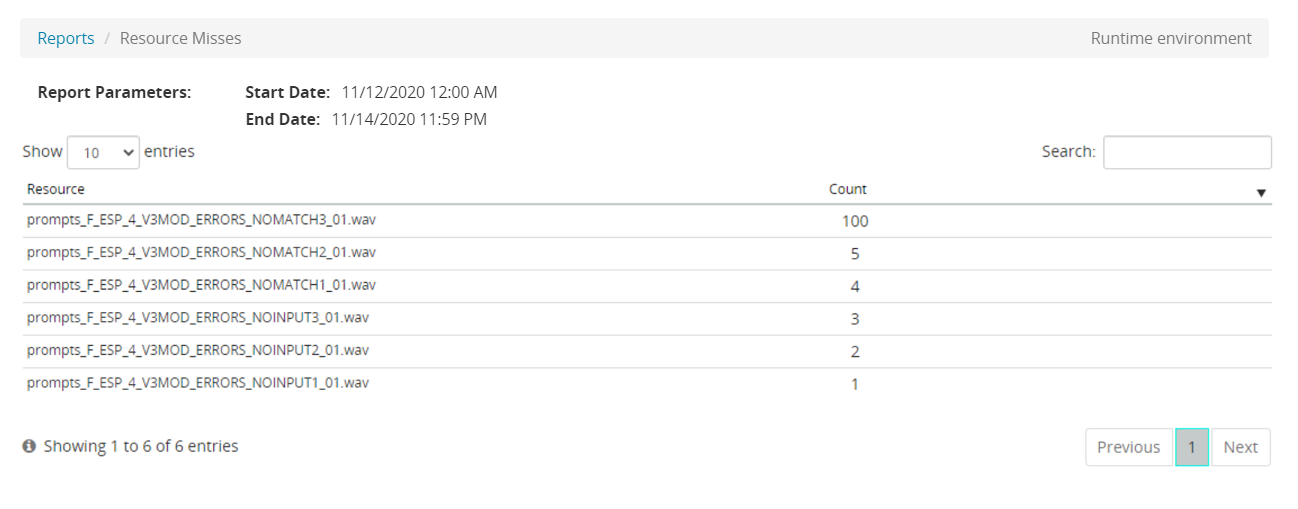
From this page, you can:
- Click Reports to return to the query page.
