Compound documents in the Document View
Design documents in Document view to add text, images, active form controls, reports, and charts that create compound documents to use in presentation-ready reports.
Document view combines the features of report building with the ability to style and present customized documents.
Build multiple reports and charts on the same canvas using Document view. Styling, design, and report building functionality of Interactive Design and Query Design view is available in Document view, as well as additional features that simplify building compound documents.
- Build and insert multiple reports in the form of reports and charts.
- Insert images and text for presentation and organizational purposes.
Blank document view:
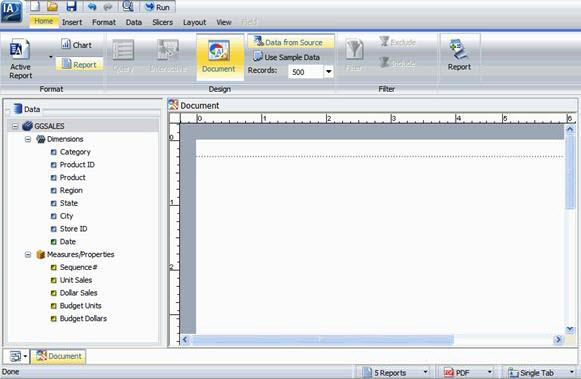
Selecting Document view while report or chart template is open does not convert it to a compound document.
Instead, Report Creator makes a copy of the template, with the copy becoming a compound document and the original remaining unchanged.
To access Document view as you begin your Report Creator session, select Build a Document on the Report Creator splash screen.
