Long-Running reports
The Long-Running reports page shows details about reports in progress and completed, and options for notification, management, and download. Reports that contain a great deal of data or use a complex query that takes time to execute are displayed on this page while being processed.
Click Standard > Home to see Long-Running reports.
If you select a date range greater than one day, then the report will typically be a long-running report.
If a particular query becomes a long-running report, Portal displays the Report Request Received message, as shown:
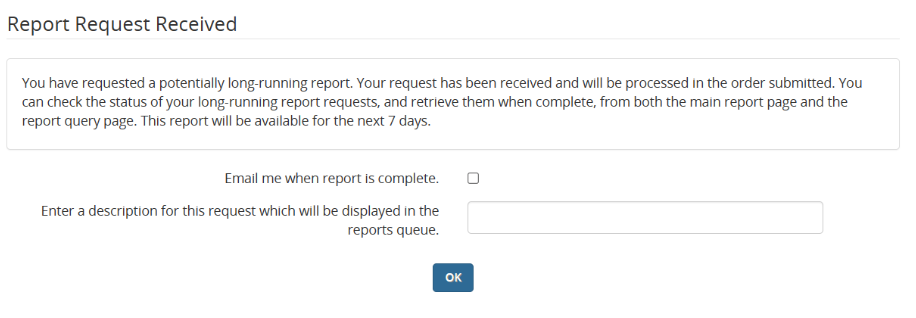
From this page, you can do the following:
- Select the check box if you want to receive an email message when the long-running report is available. If you do not select the check box, then you will have to return to the Reports > Standard > Home page to see whether the report is available yet.
- Enter a description of the report. If you have multiple pending long-running reports, adding a description to indicate the type of report will help you identify this particular report.
Click OK to submit the query for the long-running report.
Viewing long-running reports
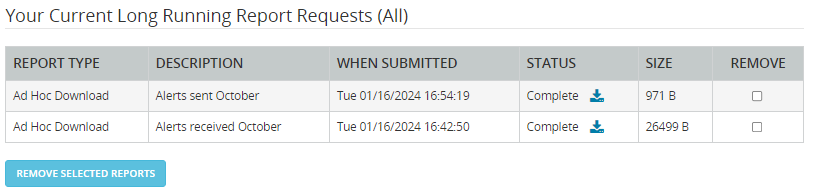
After you submit a long-running query, a table displays in the Home section of the Reports > Standard menu. The table shows pending and completed long-running reports, of all types. For example: