Publish a draft project (MOD projects only)
After you create and edit messages in your project so that they are ready to send to consumers, you should save your project version. This is called publishing the project version. Publishing makes the messages available to use in production.
Note: You can create and modify message content in MOD projects only. In standard projects, Nuance creates the message content according to the requirements of the client. To make changes to standard projects, contact your Nuance representative.
- Open the project, by clicking either Launch Latest or Continue Draft, as described in Open a project for editing (MOD projects only), and make any changes to the project as needed.
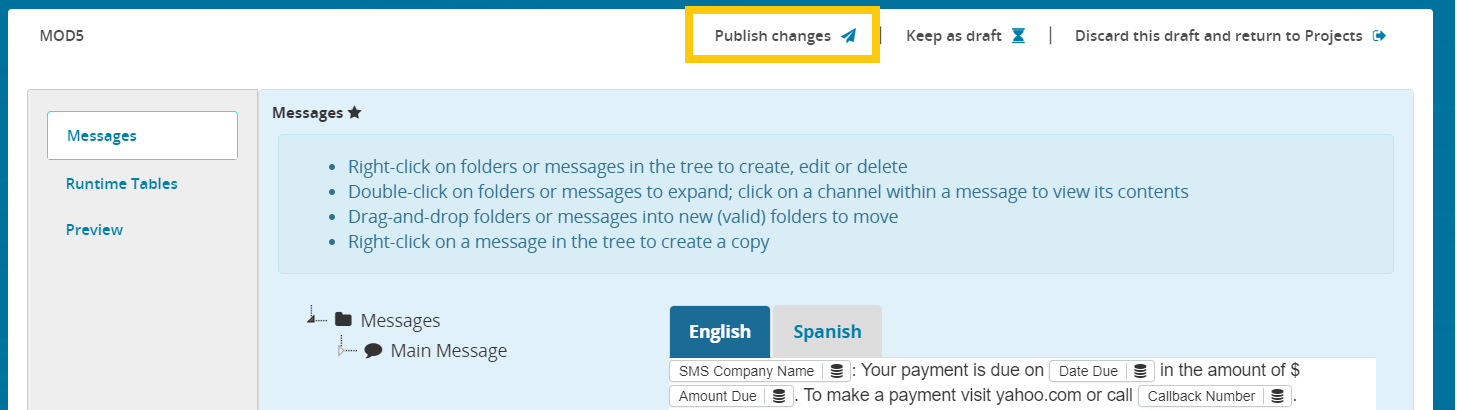
- Click Publish Changes:
- Publishing should start and it may take a few minutes to complete. In the meantime, you can perform other actions in Composer, but you cannot perform any operations on the pending project until publishing is complete. While pending, the project displays a spinner and message saying Pending activation operations: