Building Input Summary reports

Use the Input Summary report (ISR) to see all the results of the import process for each customer record you send to the platform. This report is only available for clients using Nuance ID.

See also:

For example, suppose you need to know why some account records were not acted upon, and how many records were assigned to each campaign. You can view results aggregated for a time period or broken out by day.

To build the report:

  1. Under Summary, select Input Summary.
  2. Enter a Date Range. Data is available for up to the past 13 months, but report query spans must be 31 days or less.
  3. Select a Solution.
  4. Select Aggregation Level. There are three options:
      • Aggregate All: Generates a single table with all results.
      • By Day: Generates a table for each day in which a batch was processed.
      • By Batch: Generates a table for each batch.
  5. Select a Type of Data: Production Data or Test Data.
  6. Select Run Report.

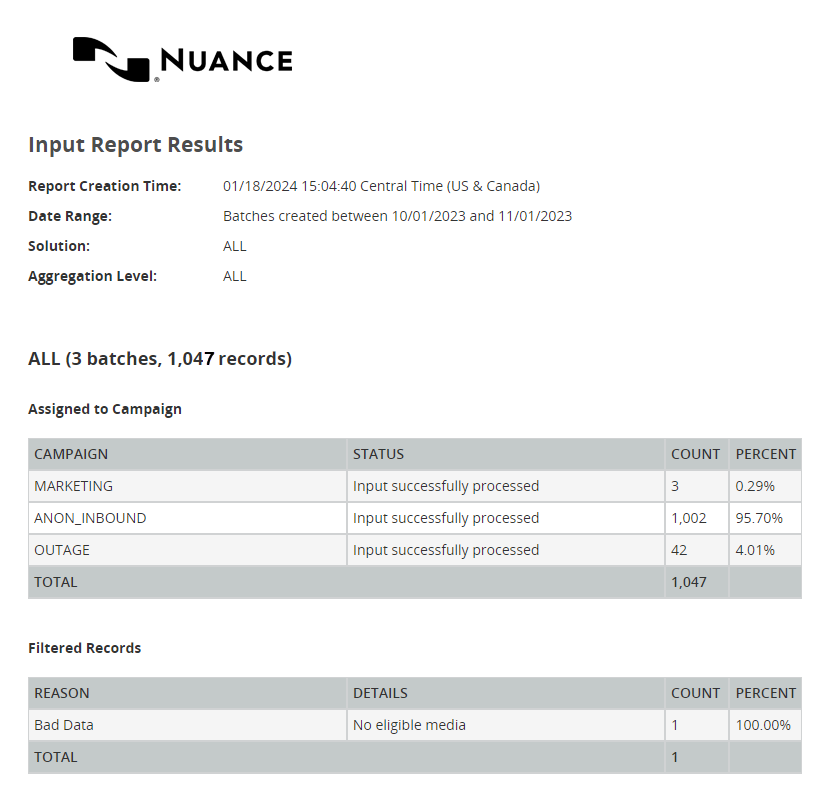
Here is an example Input Summary Report, with the Aggregation Level set to Aggregate All, which means all reports for the selected dates are combined:
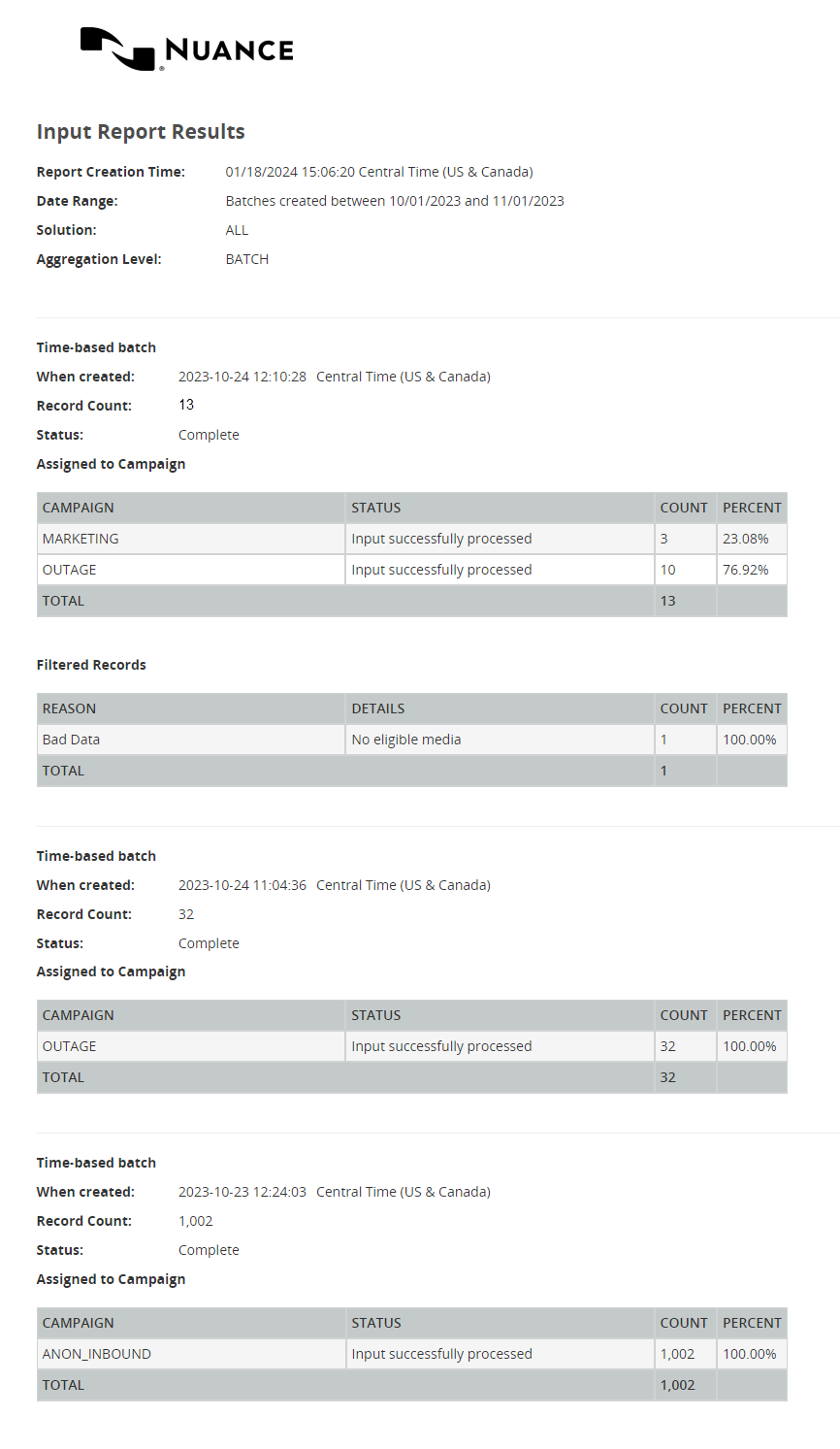
Here is an example report with the Aggregation Level set to Batch:
These are the fields used in the Input Summary report:

Input Report Results: Records processed

File Name The name of the input file. Appears only when the type is "Batch".

When Created

The time and date when the batch was initiated (started) by the platform.

Record Count

The number of records received in the batch.

Status The result of the batch file processing.
Filtered records: Records excluded from any campaign because they were uncallable
Reason The reason the record was removed from the campaign. This field is client-specific.
Details A field showing more information. This field is client-specific.
Count The number of records filtered out of campaigns.
Percent The percentage of records filtered out of campaigns.
Assigned to Campaign: Records processed in campaigns
Campaign The names of campaigns with successfully processed records.
Status The status of the campaign. Value is always: Input Successfully Processed
Count The number of records filtered into campaigns.
Percent The percentage of records filtered into campaigns.