View reports
Overview of available reports
Use the Reports tab to generate reports showing the results of recent campaigns. You can generate reports that display the following information:
- Interactions: Details about interactions over a time period. An interaction is a set of deliveries (attempts and responses) resulting from a record in an input file.
- Deliveries: Details about deliveries over a time period. A delivery is an attempt to contact a consumer. A single input record can result in many deliveries or no deliveries at all.
- Batches: Details about batches over a time period. A batch is a set of records that the platform received for processing.
- Resource misses: Details about resource misses over a time period. A resource miss is a project's failed attempt to retrieve a resource, such as a voice prompt.
- Language misses: Details about language misses over a time period. A language miss is a project's failed attempt to retrieve a translation for a department information field or department name.
- Miscellaneous: Details about your company's holiday settings.
- Previews: Details about results from the Preview feature.
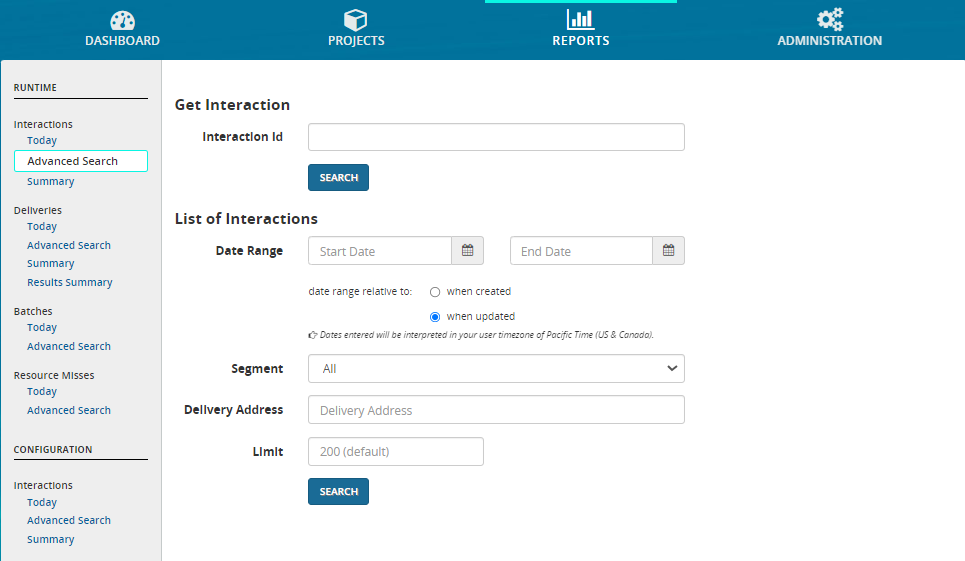
To open the Reports tab, click REPORTS on the top menu bar. By default this opens the Advanced Search form for Interaction reports:
-
The default start date and time are the current date at 12:00 AM in your time zone.
-
The default end date and time are the current date and time in your time zone.
Chose the correct environment for your report
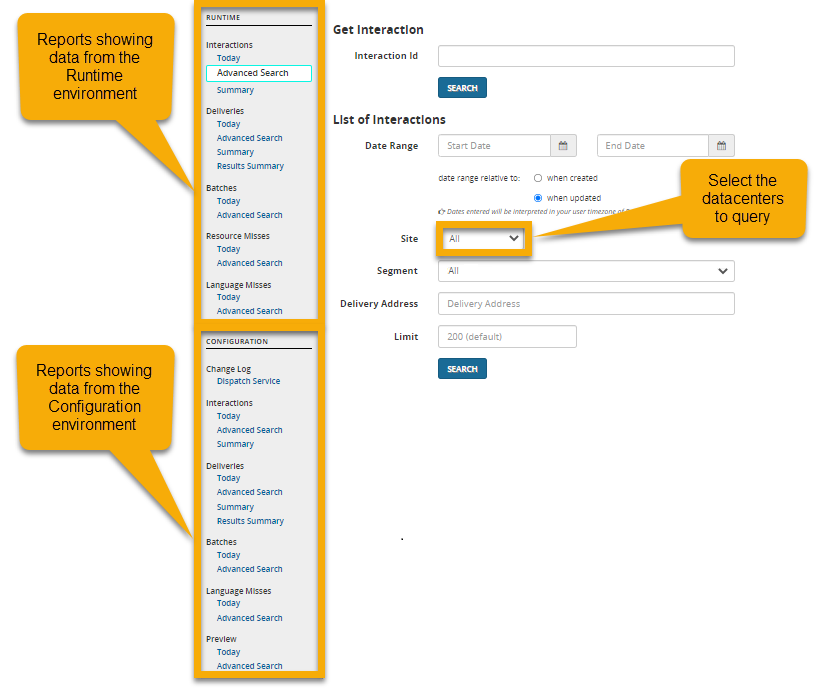
When you open the Reports tab, you'll see a navigation bar on the left with a list of available reports. The bar is divided into two sections: RUNTIME and CONFIGURATION. These refer to the deployment environments you can choose from. Records processed during the testing of a project appear in the CONFIGURATION section; Records uploaded to a production project appear in the RUNTIME section. The data shown in any report comes from only one of these environments. Be sure to choose the correct environment when selecting a report.